Loading model…正在加载模型详情…

 OpenAI
用 OpenAI 的 GPT Image 2 根据文字生成图片,探索逼真的细节、清晰的图中文字和精致的产品视觉。
- $0.04 起 / 张
- 1K 至 4K
- 1:1 或 16:9

示例
Generate an image of a funny guy that is live-streaming on tiktok and has 3d cartoon characters around him - design something funny.

Generate for me a UI design system with a very cutting-edge, bold, and unique theme that includes glassy visuals and transparencies
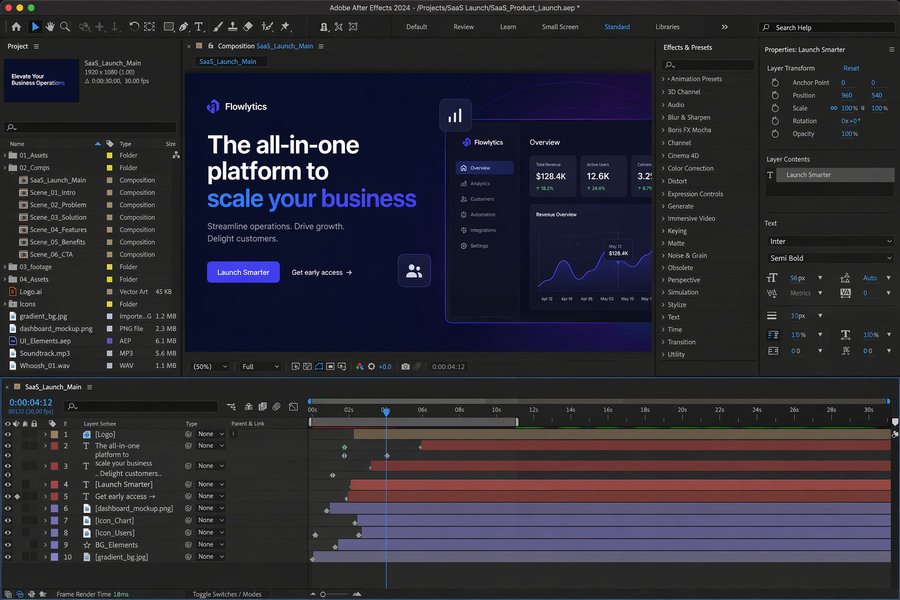
A realistic desktop screenshot of Adobe After Effects 2024 open and editing a promotional video for a B2B SaaS product launch. Dark-themed interface, professional motion design workspace, composition preview showing a sleek SaaS landing-page style scene with headline text, call-to-action button, analytics dashboard mockup, glowing UI elements, timeline with multiple animated layers, effects and presets panel, project assets panel, and properties panel visible. Clean modern blue and purple gradient visuals, polished product-marketing aesthetic, high detail, realistic software UI screenshot.
GPT Image 2 是什么?
GPT Image 2 是 OpenAI 的图片生成模型。OpenAI 的介绍强调照片级真实感、清晰的文字呈现,以及适合创意和商业用途的产品摄影效果。
在 UniRoute 上,当前可调用版本根据文字提示词生成新图片。选择将分辨率与宽高比组合在一起的尺寸选项,查看报价后提交请求。
GPT Image 2 是 OpenAI 图片模型系列中 GPT Image 1.5 的后续版本。OpenAI 的介绍重点是逼真细节和清晰文字;下方也列出了 GPT Image 2.5,便于比较。
可以做什么
目前通过 UniRoute 使用 GPT Image 2 可以做什么。
文生图
描述主体、构图、光照、风格和需要出现在图中的文字,选择分辨率与宽高比组合后生成。
GPT Image 2 的其他模式(图片编辑和基于参考图的变换)暂未在 UniRoute 开放。
规格与版本
可调用的版本,以及各自的选项和价格。
| 版本 | 模型 ID | 模式 | 输入 | 输出 | 价格 |
|---|---|---|---|---|---|
| GPT Image 2 | gpt-image-2-text-to-image | 文生图 | 文字提示词和尺寸选项 | 分辨率:1K、2K、4K;宽高比:1:1、16:9 | $0.04 至 $0.10 / 次请求 |
价格
按请求计价,所选规格决定价格。
| GPT Image 2 | |
|---|---|
| 1K · 1:1 | $0.04 |
| 1K · 16:9 | $0.04 |
| 2K · 1:1 | $0.06 |
| 2K · 16:9 | $0.06 |
| 4K · 1:1 | $0.10 |
| 4K · 16:9 | $0.10 |
金额四舍五入到分;工作区中的实时报价显示精确金额。价格更新于 2026-11-08。
按用量计费,统一使用一个美元钱包余额。每次请求前都会先看到报价。
API
用媒体 API 在你自己的代码里调用 GPT Image 2。
cURL
# Requires bash, curl and jq. Set API_KEY to your own unified UniRoute Key.set -euo pipefail: "${API_KEY:?Set API_KEY first}"BASE='https://api.uniroute.app/v1/media'MODEL='gpt-image-2-text-to-image'OPTION='1K:1:1'PROMPT='A calm sunrise over a mountain lake'curl -fsS --max-time 60 "$BASE/catalog" -H "Authorization: Bearer $API_KEY" | jq -e '.data.models'BODY=$(jq -n --arg model "$MODEL" --arg option "$OPTION" --arg prompt "$PROMPT" '{model:$model,option:$option,prompt:$prompt}')QUOTE_BODY=$(printf '%s' "$BODY" | jq '{model,option}')QUOTE=$(curl -fsS --max-time 60 "$BASE/quote" -H "Authorization: Bearer $API_KEY" -H 'Content-Type: application/json' -d "$QUOTE_BODY")CAP=$(printf '%s' "$QUOTE" | jq -er '.data.quoted_usd')BODY=$(printf '%s' "$BODY" | jq --arg cap "$CAP" '. + {max_cost_usd:$cap}')IDEMPOTENCY="example-$(date +%s)-$$"create() { curl -fsS --max-time 60 "$BASE/tasks" -H "Authorization: Bearer $API_KEY" -H "Idempotency-Key: $IDEMPOTENCY" -H 'Content-Type: application/json' -d "$BODY"; }TASK_ID=$(create | jq -er '.data.task_id')# The same request and idempotency key must return the original task without charging again.REPLAY_ID=$(create | jq -er '.data.task_id')[ "$TASK_ID" = "$REPLAY_ID" ]for attempt in $(seq 1 120); do TASK=$(curl -fsS --max-time 60 "$BASE/tasks/$TASK_ID" -H "Authorization: Bearer $API_KEY") printf '%s' "$TASK" | jq -e '.data | {task_id,status,billing}' if printf '%s' "$TASK" | jq -e '.data.status == "success" and .data.billing.state == "charged"' >/dev/null; then index=0 while IFS= read -r url; do index=$((index+1)) curl -fL --max-time 120 "$url" -o "$TASK_ID-$index.bin" done < <(printf '%s' "$TASK" | jq -er '.data.urls[].url') break fi if printf '%s' "$TASK" | jq -e '.data.status == "failed" and .data.billing.state == "released"' >/dev/null; then exit 1; fi if [ "$attempt" = 120 ]; then echo "Polling limit reached. Keep task ID $TASK_ID and query it later; do not create a new task." >&2 exit 1 fi sleep 5donecurl -fsS --max-time 60 "$BASE/tasks?limit=20" -H "Authorization: Bearer $API_KEY" | jq -e '.data'# Check this task and the caller Key in Console usage; billing.charged_usd is the actual USD charge.参数
| 名称 | 位置 | 说明 |
|---|---|---|
model | 请求体 | 要运行的模型 ID。 |
option | 请求体 | 该模型提供的规格之一:1K:1:1, 1K:16:9, 2K:1:1, 2K:16:9, 4K:1:1, 4K:16:9。 |
prompt | 请求体 | 描述要生成内容的文字提示词。 |
max_cost_usd | 请求体 | 本次任务的最高费用(美元),取自报价。 |
Idempotency-Key | 请求头 | 每个任务唯一的键;重复请求会返回原任务,不会重复扣费。 |
相关指南
适用场景
GPT Image 2 的常见用法。
产品概念与活动配图
描述材质、光照和构图,探索产品图片、广告创意和品牌配图。
海报与信息图
在提示词中写明文案和版式,起草需要把文字融入设计的视觉方案。
界面与设计系统概念
描述页面或视觉风格,在细化制作之前起草界面概念图、探索设计方向。
常见问题
关于 GPT Image 2 的常见问题。
GPT Image 2 是什么?
GPT Image 2 是 OpenAI 的图片生成模型,其介绍强调逼真细节、清晰文字和精致的产品图片。在 UniRoute 上,你可以根据文字生成新图片。
可以选择哪些尺寸?
工作区提供将分辨率和宽高比组合在一起的尺寸选项。规格与价格表直接读取模型目录,列出当前可用的全部组合。
可以修图或使用参考图吗?
暂时不可以。UniRoute 目前提供文生图版本,接受文字提示词和尺寸选项。当前目录没有开放参考图输入或图片编辑。
GPT Image 2 多少钱?
$0.04 起 / 张。每次请求按所选尺寸报价。完整价格表见“价格”一节(价格更新于 2026-11-08)。
怎样用代码调用 GPT Image 2?
使用媒体 API:先对所选模型和规格请求报价,再带上 Idempotency-Key 和最高费用创建任务,然后轮询任务直到结果就绪。“API”一节给出了完整示例和参数说明。
有免费试用或免费额度吗?
没有。生成费用从你的钱包余额中扣除。你可以直接打开工作区查看价格,注册账号后可看到针对当前设置的实时报价,只有被接受的请求才会计费。
相关模型
其他版本、同一提供商的模型以及可替代的模型。