Use OpenAI models in Codex for coding, debugging and multi-step engineering work.
- List price $10.00 in / $50.00 out per 1M tokens
- OpenAI Responses and OpenAI Chat Completions API
- Coding · Debugging · Refactoring

What can I help you with?
Use it inCodex terminal appCodex desktop app
What is Codex?
Codex is OpenAI's coding-focused offering for code generation, debugging and extended engineering work. OpenAI describes workflows that include understanding existing code, planning changes and checking implementations.
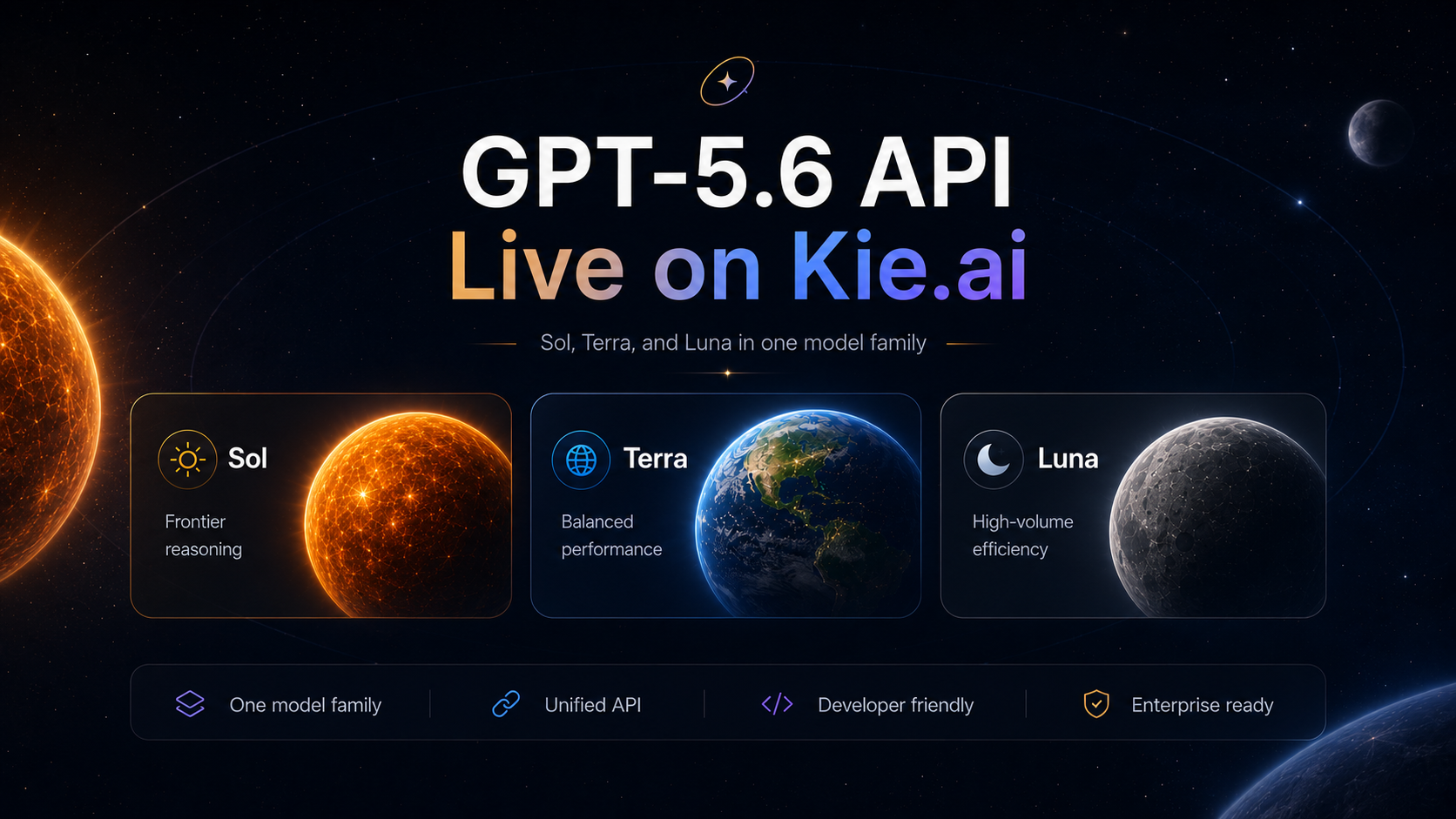
This page brings together the callable OpenAI models offered for Codex workflows: GPT-6 Astra, GPT-5.6 Sol, Terra and Luna, and GPT-5.5. Select a model to ask a coding question, or connect your client through Responses or Chat Completions.
The current selection includes GPT-6 Astra alongside GPT-5.6 and GPT-5.5 models. Use the variant selector to choose the model for your request and compare the available rates before integrating it into a coding workflow.
What you can do
What Codex is built for.
Generate and explain code
Describe the behavior you need, provide the relevant interfaces and ask for an implementation or an explanation of existing code.
Debugging
Supply an error and the code around it. Work through likely causes and ask which observation would distinguish them.
Refactoring and tests
Plan smaller changes that preserve behavior, then ask for tests that cover the risks in the proposed implementation.
Coding agents
Use the API to connect a selected model to a client that manages files, function calls and multi-step engineering tasks.
The chat box accepts text; attachments, function calls, search and reasoning controls are available through the API.
Specs & variants
The variants you can call, with their options and prices.
| Variant | Model ID | Modes | Inputs | Output | Price |
|---|---|---|---|---|---|
| Astra | gpt-6-astra | Chat and text generation | OpenAI Responses and OpenAI Chat Completions API | Streaming; Context window: Not stated on this page | $10.00 input / $50.00 output per 1M tokens |
| Sol | gpt-5-6-sol | Chat and text generation | OpenAI Responses and OpenAI Chat Completions API | Streaming; Context window: Not stated on this page | $4.00 input / $20.00 output per 1M tokens |
| Terra | gpt-5-6-terra | Chat and text generation | OpenAI Responses and OpenAI Chat Completions API | Streaming; Context window: Not stated on this page | $2.00 input / $12.00 output per 1M tokens |
| Luna | gpt-5-6-luna | Chat and text generation | OpenAI Responses and OpenAI Chat Completions API | Streaming; Context window: Not stated on this page | $0.20 input / $1.20 output per 1M tokens |
| GPT-5.5 | gpt-5-5 | Chat and text generation | OpenAI Responses and OpenAI Chat Completions API | Streaming; Context window: Not stated on this page | $5.00 input / $30.00 output per 1M tokens |
Pricing
Priced per token. Input and output are billed separately.
| Usage | OpenAI list price | UniRoute |
|---|---|---|
| Input | $10.00 | — |
| Output | $50.00 | — |
| Cache read | $1.00 | — |
Pricing source: developers.openai.com/api/docs/pricing.md · 2026-11-07
The list price is the provider’s published reference. Your live UniRoute quote appears in the workspace after you sign in.
Rounded to the cent; the live quote in the workspace shows the exact amount. Prices updated 2026-11-07.
Compare all OpenAI API prices →
Pay as you go from a single USD wallet balance. You see the quote before each request.
API
Call Codex through OpenAI Responses and OpenAI Chat Completions API.
curl 'https://api.uniroute.app/v1/responses' \ -H 'Authorization: Bearer YOUR_API_KEY' \ -H 'Content-Type: application/json' \ -d '{ "model": "gpt-6-astra", "input": "Hello", "stream": false}'from openai import OpenAIclient = OpenAI( api_key="YOUR_API_KEY", base_url="https://api.uniroute.app/v1",)response = client.responses.create( model="gpt-6-astra", input="Hello",)print(response.output_text)curl 'https://api.uniroute.app/v1/chat/completions' \ -H 'Authorization: Bearer YOUR_API_KEY' \ -H 'Content-Type: application/json' \ -d '{ "model": "gpt-6-astra", "messages": [ { "role": "user", "content": "Hello" } ], "stream": false}'Parameters
| Name | In | Description |
|---|---|---|
model | Body | Model ID to run. |
messages | Body | The conversation as a list of role and content messages. |
stream | Body | Set to true to receive the response as a stream. |
input | Body | Text or input items (OpenAI Responses). |
max_output_tokens | Body | Upper limit on generated tokens (OpenAI Responses). |
Guides
Use cases
Typical ways to put Codex to work.
A coding assistant in your terminal
Connect Codex to UniRoute and select one of the model IDs shown on this page for your engineering work.
Bug investigations
Compare hypotheses, request a minimal reproduction and use the evidence to narrow down a defect.
Safer refactoring
Break a large change into reviewable steps and identify the tests needed to check each step.
Developer tools
Build code explanation, review and implementation features on the API, with the selected model managed by your application.
FAQ
Common questions about Codex.
What does this Codex page provide?
It provides access to the OpenAI models currently listed for Codex workflows. You can select a variant for text chat or use its model ID through the API.
Which models can I select?
The selector offers GPT-6 Astra, GPT-5.6 Sol, GPT-5.6 Terra, GPT-5.6 Luna and GPT-5.5. The specs section lists the exact callable IDs.
How do I connect the Codex client?
Use your UniRoute API key and configure the gateway address in your client. The Codex setup guides linked here cover the terminal and desktop apps.
Which API formats are supported?
The API section provides Responses and Chat Completions examples. Set model to the exact ID of the variant you want to use.
How is usage billed?
OpenAI list price $10.00 input / $50.00 output per 1M tokens. Rates vary by selected model and by input and output usage. Review the Pricing section before sending requests; prices updated 2026-11-07.
Does this chat box edit my repository?
The chat box accepts text and returns a reply. Repository access and tool execution belong to your coding client or application, connected through the API.
Is there a free trial or free credits?
No. Requests are paid from your wallet balance. You can read this page and review the prices without paying, and you need an account with funds to send a message.
Related models
Other versions, models from the same provider and alternatives.