 OpenAI
Generate images from text with OpenAI’s GPT Image 2, with an emphasis on realistic detail, readable lettering and polished product visuals.
- From $0.04 / image
- 1K to 4K
- 1:1 or 16:9
Examples
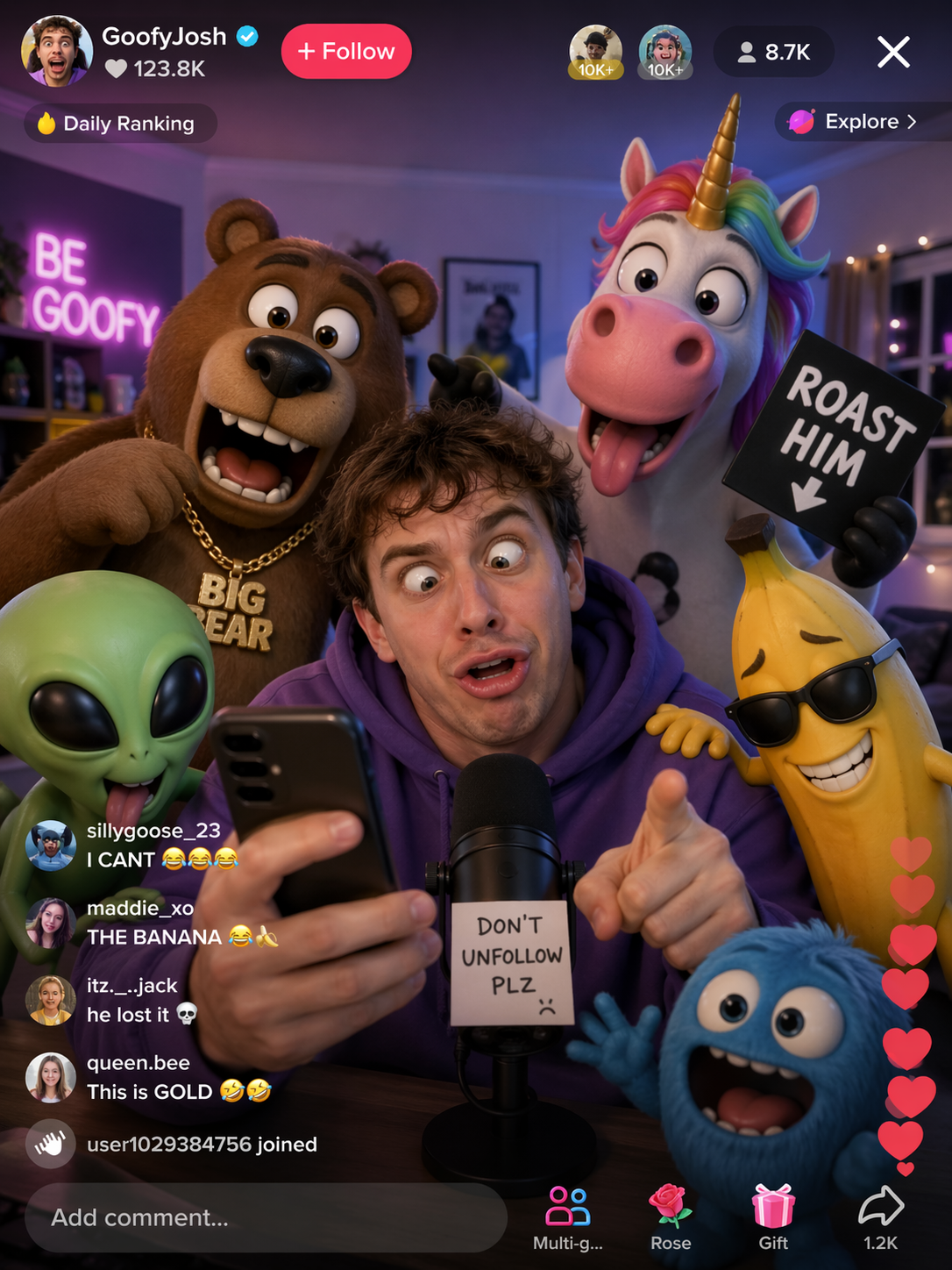
Generate an image of a funny guy that is live-streaming on tiktok and has 3d cartoon characters around him - design something funny.
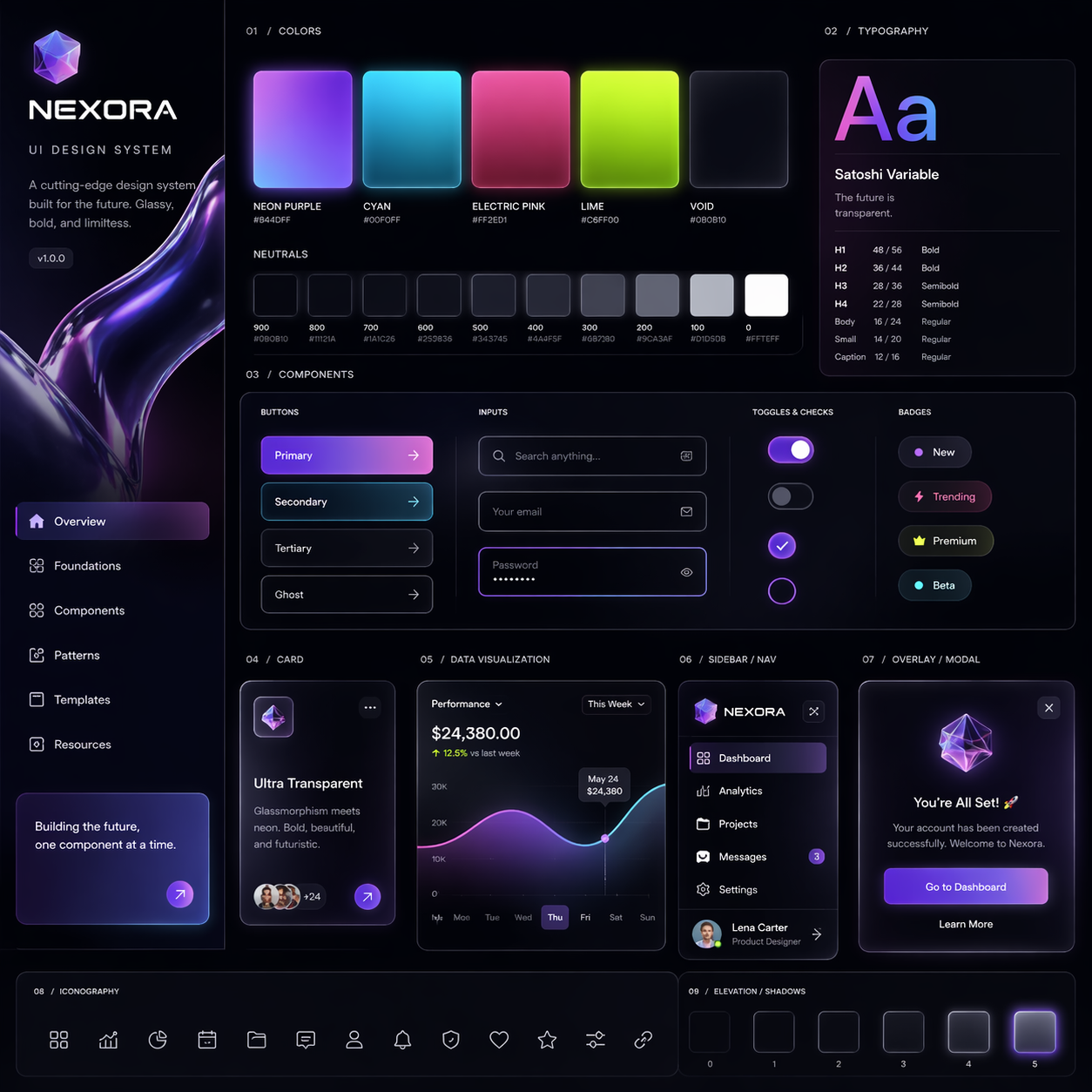
Generate for me a UI design system with a very cutting-edge, bold, and unique theme that includes glassy visuals and transparencies
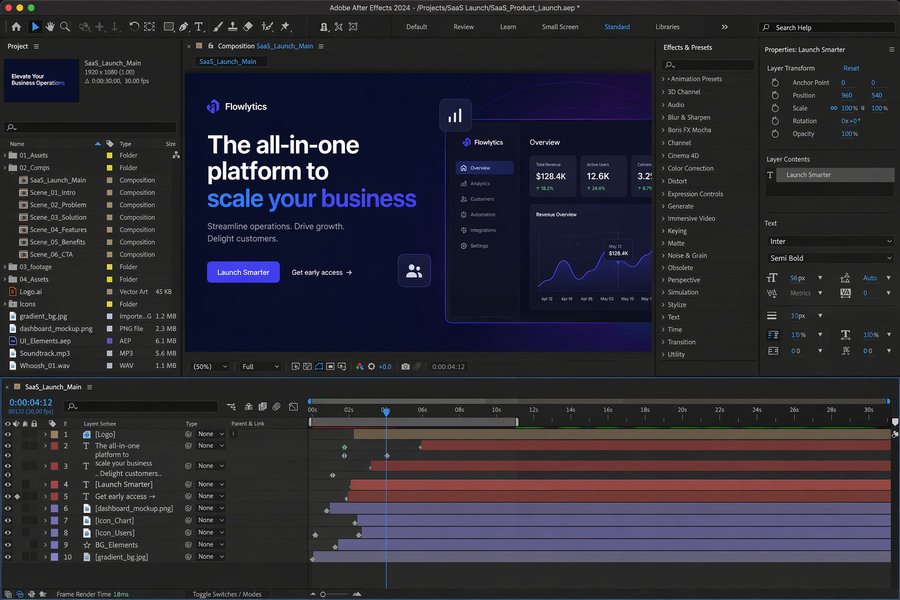
A realistic desktop screenshot of Adobe After Effects 2024 open and editing a promotional video for a B2B SaaS product launch. Dark-themed interface, professional motion design workspace, composition preview showing a sleek SaaS landing-page style scene with headline text, call-to-action button, analytics dashboard mockup, glowing UI elements, timeline with multiple animated layers, effects and presets panel, project assets panel, and properties panel visible. Clean modern blue and purple gradient visuals, polished product-marketing aesthetic, high detail, realistic software UI screenshot.
What is GPT Image 2?
GPT Image 2 is an image generation model from OpenAI. OpenAI’s description emphasizes photorealism, clearer text rendering and product photography for creative and commercial work.
On UniRoute, the callable variant generates new images from a text prompt. Choose a size option combining resolution and aspect ratio, review the quote and submit the request.
GPT Image 2 follows GPT Image 1.5 in OpenAI’s image model line. OpenAI’s description highlights realistic visual detail and readable text; GPT Image 2.5 is also linked below for comparison.
What you can do
What you can do with GPT Image 2 through UniRoute today.
Text to image
Describe the subject, composition, lighting, style and any words that should appear in the image. Choose a resolution and aspect ratio option, then generate.
Other GPT Image 2 modes (image editing and transformations from reference images) are not available on UniRoute yet.
Specs & variants
The variants you can call, with their options and prices.
| Variant | Model ID | Modes | Inputs | Output | Price |
|---|---|---|---|---|---|
| GPT Image 2 | gpt-image-2-text-to-image | Text to image | Text prompt and a size option | Resolution: 1K, 2K, 4K; Aspect ratio: 1:1, 16:9 | $0.04 to $0.10 per request |
Pricing
Priced per request. The option you choose sets the price.
| GPT Image 2 | |
|---|---|
| 1K · 1:1 | $0.04 |
| 1K · 16:9 | $0.04 |
| 2K · 1:1 | $0.06 |
| 2K · 16:9 | $0.06 |
| 4K · 1:1 | $0.10 |
| 4K · 16:9 | $0.10 |
Rounded to the cent; the live quote in the workspace shows the exact amount. Prices updated 2026-11-25.
Pay as you go from a single USD wallet balance. You see the quote before each request.
API
Call GPT Image 2 from your own code with the media API.
cURL
# Requires bash, curl and jq. Set API_KEY to your own unified UniRoute Key.set -euo pipefail: "${API_KEY:?Set API_KEY first}"BASE='https://api.uniroute.app/v1/media'MODEL='gpt-image-2-text-to-image'OPTION='1K:1:1'PROMPT='A calm sunrise over a mountain lake'curl -fsS --max-time 60 "$BASE/catalog" -H "Authorization: Bearer $API_KEY" | jq -e '.data.models'BODY=$(jq -n --arg model "$MODEL" --arg option "$OPTION" --arg prompt "$PROMPT" '{model:$model,option:$option,prompt:$prompt}')QUOTE_BODY=$(printf '%s' "$BODY" | jq '{model,option}')QUOTE=$(curl -fsS --max-time 60 "$BASE/quote" -H "Authorization: Bearer $API_KEY" -H 'Content-Type: application/json' -d "$QUOTE_BODY")CAP=$(printf '%s' "$QUOTE" | jq -er '.data.quoted_usd')BODY=$(printf '%s' "$BODY" | jq --arg cap "$CAP" '. + {max_cost_usd:$cap}')IDEMPOTENCY="example-$(date +%s)-$$"create() { curl -fsS --max-time 60 "$BASE/tasks" -H "Authorization: Bearer $API_KEY" -H "Idempotency-Key: $IDEMPOTENCY" -H 'Content-Type: application/json' -d "$BODY"; }TASK_ID=$(create | jq -er '.data.task_id')# The same request and idempotency key must return the original task without charging again.REPLAY_ID=$(create | jq -er '.data.task_id')[ "$TASK_ID" = "$REPLAY_ID" ]for attempt in $(seq 1 120); do TASK=$(curl -fsS --max-time 60 "$BASE/tasks/$TASK_ID" -H "Authorization: Bearer $API_KEY") printf '%s' "$TASK" | jq -e '.data | {task_id,status,billing}' if printf '%s' "$TASK" | jq -e '.data.status == "success" and .data.billing.state == "charged"' >/dev/null; then index=0 while IFS= read -r url; do index=$((index+1)) curl -fL --max-time 120 "$url" -o "$TASK_ID-$index.bin" done < <(printf '%s' "$TASK" | jq -er '.data.urls[].url') break fi if printf '%s' "$TASK" | jq -e '.data.status == "failed" and .data.billing.state == "released"' >/dev/null; then exit 1; fi if [ "$attempt" = 120 ]; then echo "Polling limit reached. Keep task ID $TASK_ID and query it later; do not create a new task." >&2 exit 1 fi sleep 5donecurl -fsS --max-time 60 "$BASE/tasks?limit=20" -H "Authorization: Bearer $API_KEY" | jq -e '.data'# Check this task and the caller Key in Console usage; billing.charged_usd is the actual USD charge.Parameters
| Name | In | Description |
|---|---|---|
model | Body | Model ID to run. |
option | Body | One of the options offered for the model: 1K:1:1, 1K:16:9, 2K:1:1, 2K:16:9, 4K:1:1, 4K:16:9. |
prompt | Body | Text prompt describing what to generate. |
max_cost_usd | Body | Maximum cost in USD for this task, taken from the quote. |
Idempotency-Key | Header | A unique key per task, so a repeated request returns the original task instead of charging again. |
Guides
Use cases
Typical ways to put GPT Image 2 to work.
Product concepts and campaign visuals
Describe materials, lighting and composition to explore product imagery, ad concepts and branded graphics.
Posters and infographics
Include the wording and layout in your prompt to develop visual concepts where text is part of the design.
Interface and design-system concepts
Describe a screen or visual style to draft interface mockups and explore a design direction before detailed production work.
FAQ
Common questions about GPT Image 2.
What is GPT Image 2?
GPT Image 2 is OpenAI’s image generation model. Its description emphasizes realistic detail, readable lettering and polished product imagery. On UniRoute, you can generate new images from text.
Which sizes can I choose?
The workspace offers size options that combine resolution and aspect ratio. The specs and pricing tables list the available combinations directly from the model catalog.
Can I edit a photo or use a reference image?
Not yet. UniRoute currently offers the text-to-image variant with a prompt and a size option. Reference images and image editing are not exposed by the current catalog.
How much does GPT Image 2 cost?
From $0.04 / image. Each request is quoted for the selected size. The full price table is in the Pricing section (prices updated 2026-11-25).
How do I call GPT Image 2 from code?
Use the media API: request a quote for your model and option, create a task with an Idempotency-Key and a maximum cost, then poll the task until the result is ready. The API section shows a complete example and the parameters.
Is there a free trial or free credits?
No. Generation is paid from your wallet balance. You can open the workspace and review the price without paying, create an account to see a live quote for your exact settings, and you are charged only for requests that are accepted.
Related models
Other versions, models from the same provider and alternatives.