Loading model…正在加载模型详情…

 OpenAI
Generate images from text with OpenAI's GPT Image 1.5, with an emphasis on following visual instructions and rendering readable text.
- From $0.03 / image
- Medium or High
- 1:1, 3:2 or 2:3
Examples
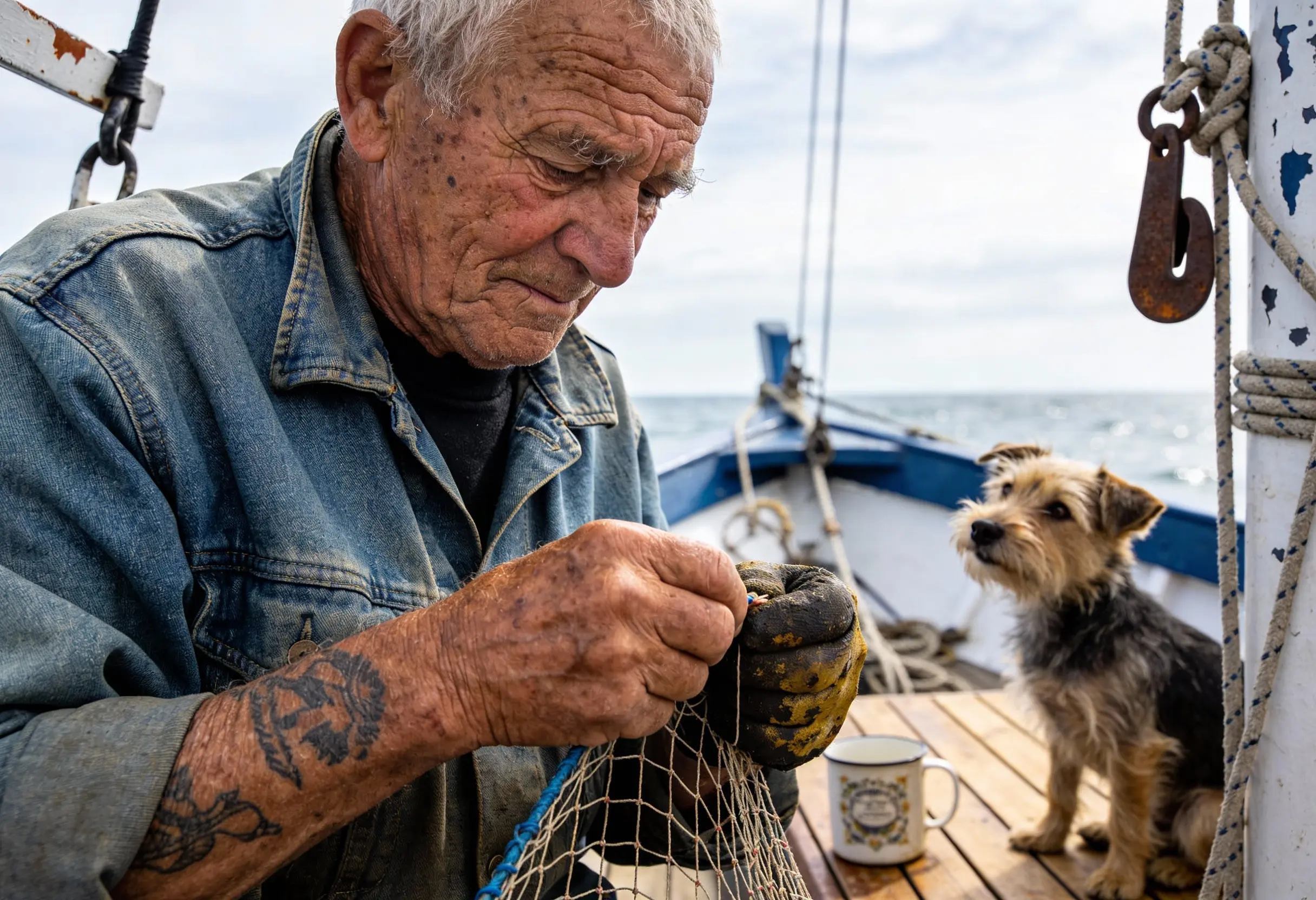
Create a photorealistic candid photograph of an elderly sailor standing on a small fishing boat. He has weathered skin with visible wrinkles, pores, and sun texture, and a few faded traditional sailor tattoos on his arms. He is calmly adjusting a net while his dog sits nearby on the deck. Shot like a 35mm film photograph, medium close-up at eye level, using a 50mm lens. The image should feel honest and unposed, with real skin texture, worn materials, and everyday detail. No glamorization, no heavy retouching.
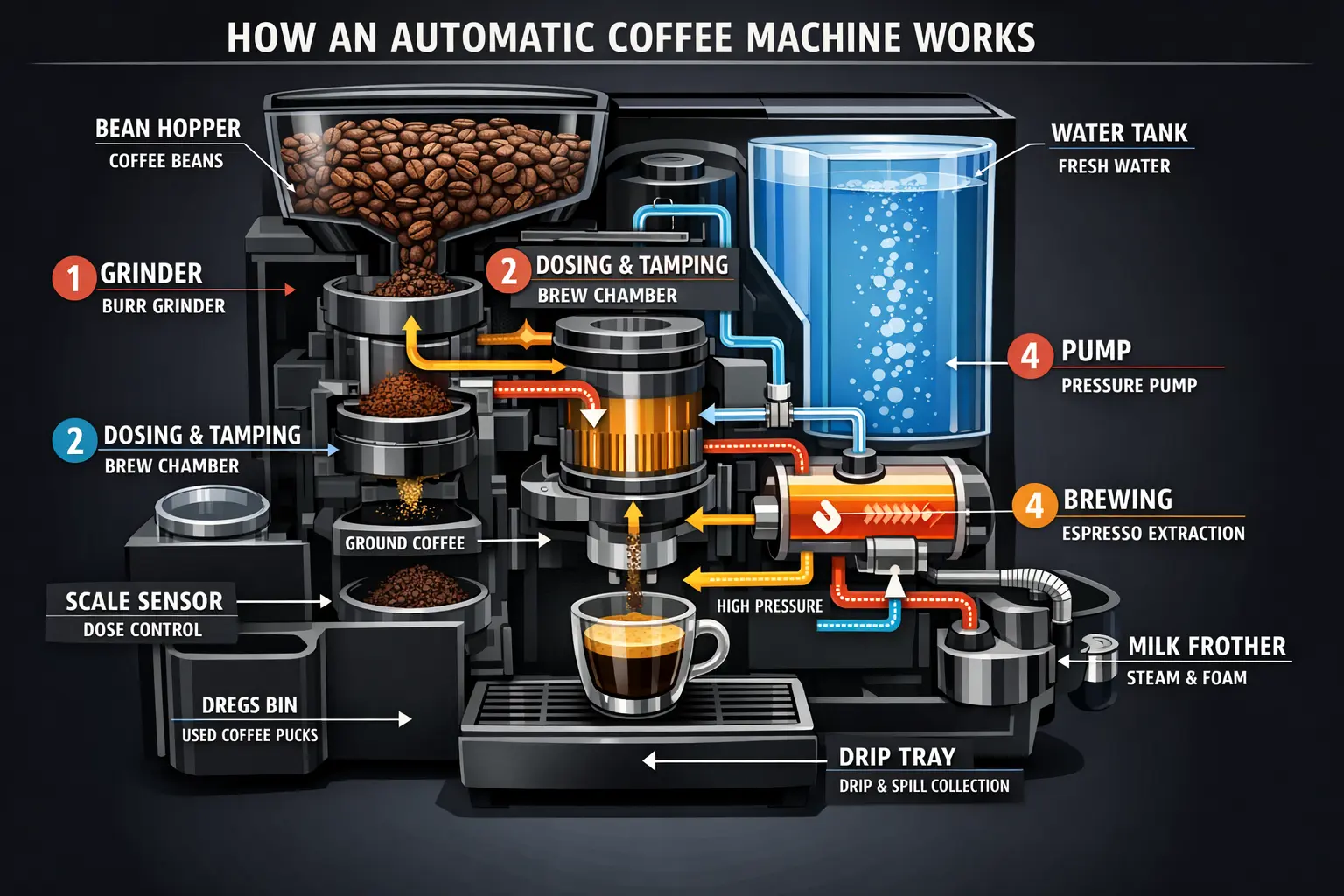
Create a detailed Infographic of the functioning and flow of an automatic coffee machine like a Jura. From bean basket, to grinding, to scale, water tank, boiler, etc. I'd like to understand technically and visually the flow.
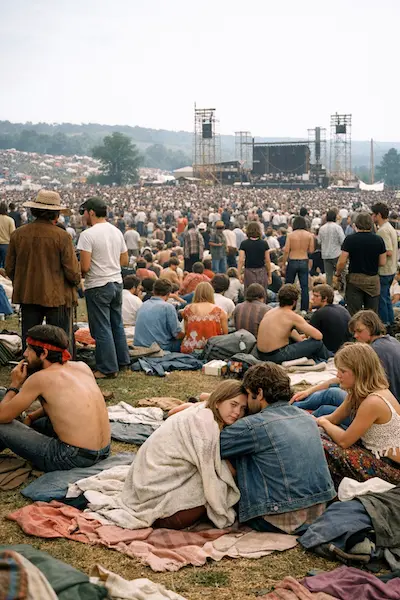
Create a realistic outdoor crowd scene in Bethel, New York on August 16, 1969. Photorealistic, period-accurate clothing, staging, and environment.
What is GPT Image 1.5?
GPT Image 1.5 is OpenAI's image generation model. OpenAI describes improvements in instruction following, text rendering and realistic visual detail.
UniRoute offers the text-to-image variant with a prompt and an option combining quality and aspect ratio. The workspace lists the available quality tiers and formats, and each request is quoted before it runs.
OpenAI describes GPT Image 1.5 as improving visual fidelity and instruction following over earlier ChatGPT image models. GPT Image 2 and GPT Image 2.5 are linked below as other versions in the same model line.
What you can do
What you can do with GPT Image 1.5 through UniRoute today.
Text to image
Describe the subject, layout, style and any wording you want in the image. Choose a quality and aspect ratio option, then review the quote and generate.
Other GPT Image 1.5 modes (image editing and style transformations from reference images) are not available on UniRoute yet.
Specs & variants
The variants you can call, with their options and prices.
| Variant | Model ID | Modes | Inputs | Output | Price |
|---|---|---|---|---|---|
| GPT Image 1.5 | gpt-image/1.5-text-to-image | Text to image | Text prompt and an option for quality and aspect ratio | Quality: Medium, High; Aspect ratio: 1:1, 3:2, 2:3 | $0.03 to $0.14 per request |
Pricing
Priced per request. The option you choose sets the price.
| GPT Image 1.5 | |
|---|---|
| Medium · 1:1 | $0.03 |
| Medium · 3:2 | $0.03 |
| Medium · 2:3 | $0.03 |
| High · 1:1 | $0.14 |
| High · 3:2 | $0.14 |
| High · 2:3 | $0.14 |
Rounded to the cent; the live quote in the workspace shows the exact amount. Prices updated 2026-11-08.
Pay as you go from a single USD wallet balance. You see the quote before each request.
API
Call GPT Image 1.5 from your own code with the media API.
cURL
# Requires bash, curl and jq. Set API_KEY to your own unified UniRoute Key.set -euo pipefail: "${API_KEY:?Set API_KEY first}"BASE='https://api.uniroute.app/v1/media'MODEL='gpt-image/1.5-text-to-image'OPTION='medium:1:1'PROMPT='A calm sunrise over a mountain lake'curl -fsS --max-time 60 "$BASE/catalog" -H "Authorization: Bearer $API_KEY" | jq -e '.data.models'BODY=$(jq -n --arg model "$MODEL" --arg option "$OPTION" --arg prompt "$PROMPT" '{model:$model,option:$option,prompt:$prompt}')QUOTE_BODY=$(printf '%s' "$BODY" | jq '{model,option}')QUOTE=$(curl -fsS --max-time 60 "$BASE/quote" -H "Authorization: Bearer $API_KEY" -H 'Content-Type: application/json' -d "$QUOTE_BODY")CAP=$(printf '%s' "$QUOTE" | jq -er '.data.quoted_usd')BODY=$(printf '%s' "$BODY" | jq --arg cap "$CAP" '. + {max_cost_usd:$cap}')IDEMPOTENCY="example-$(date +%s)-$$"create() { curl -fsS --max-time 60 "$BASE/tasks" -H "Authorization: Bearer $API_KEY" -H "Idempotency-Key: $IDEMPOTENCY" -H 'Content-Type: application/json' -d "$BODY"; }TASK_ID=$(create | jq -er '.data.task_id')# The same request and idempotency key must return the original task without charging again.REPLAY_ID=$(create | jq -er '.data.task_id')[ "$TASK_ID" = "$REPLAY_ID" ]for attempt in $(seq 1 120); do TASK=$(curl -fsS --max-time 60 "$BASE/tasks/$TASK_ID" -H "Authorization: Bearer $API_KEY") printf '%s' "$TASK" | jq -e '.data | {task_id,status,billing}' if printf '%s' "$TASK" | jq -e '.data.status == "success" and .data.billing.state == "charged"' >/dev/null; then index=0 while IFS= read -r url; do index=$((index+1)) curl -fL --max-time 120 "$url" -o "$TASK_ID-$index.bin" done < <(printf '%s' "$TASK" | jq -er '.data.urls[].url') break fi if printf '%s' "$TASK" | jq -e '.data.status == "failed" and .data.billing.state == "released"' >/dev/null; then exit 1; fi if [ "$attempt" = 120 ]; then echo "Polling limit reached. Keep task ID $TASK_ID and query it later; do not create a new task." >&2 exit 1 fi sleep 5donecurl -fsS --max-time 60 "$BASE/tasks?limit=20" -H "Authorization: Bearer $API_KEY" | jq -e '.data'# Check this task and the caller Key in Console usage; billing.charged_usd is the actual USD charge.Parameters
| Name | In | Description |
|---|---|---|
model | Body | Model ID to run. |
option | Body | One of the options offered for the model: medium:1:1, medium:3:2, medium:2:3, high:1:1, high:3:2, high:2:3. |
prompt | Body | Text prompt describing what to generate. |
max_cost_usd | Body | Maximum cost in USD for this task, taken from the quote. |
Idempotency-Key | Header | A unique key per task, so a repeated request returns the original task instead of charging again. |
Guides
Use cases
Typical ways to put GPT Image 1.5 to work.
Posters and infographics
Specify the wording and layout to explore designs where readable text is part of the image.
Product and brand visuals
Describe materials, lighting and composition for product concepts, campaign graphics and branded assets.
Interface mockups
Describe a screen layout and the text it should contain to draft a visual concept before detailed design.
FAQ
Common questions about GPT Image 1.5.
What is GPT Image 1.5?
GPT Image 1.5 is OpenAI's image generation model. OpenAI describes improvements in instruction following, text rendering and realistic visual detail.
Which settings can I choose?
Choose a quality tier and aspect ratio from the workspace. The specs and pricing tables show each available combination; there is no separate resolution setting.
How much does GPT Image 1.5 cost?
From $0.03 / image. Each request is quoted for your selected variant and option. The full table is in the Pricing section (prices updated 2026-11-08).
Which generation mode is available?
The variants listed here generate new images from text prompts. The workspace shows the options exposed by the current catalog.
How do I call GPT Image 1.5 from code?
Use the media API: request a quote for your model and option, create a task with an Idempotency-Key and a maximum cost, then poll the task until the result is ready. The API section shows a complete example and the parameters.
Is there a free trial or free credits?
No. Generation is paid from your wallet balance. You can open the workspace and review the price without paying, create an account to see a live quote for your exact settings, and you are charged only for requests that are accepted.
Related models
Other versions, models from the same provider and alternatives.