Loading model…正在加载模型详情…

 Grok
Create images from detailed prompts with Grok Imagine Image 2.0; xAI highlights its typography and control over complex compositions.
- From $0.03 / image
- 1:1, 16:9, 9:16, 2:3 or 3:2
Examples
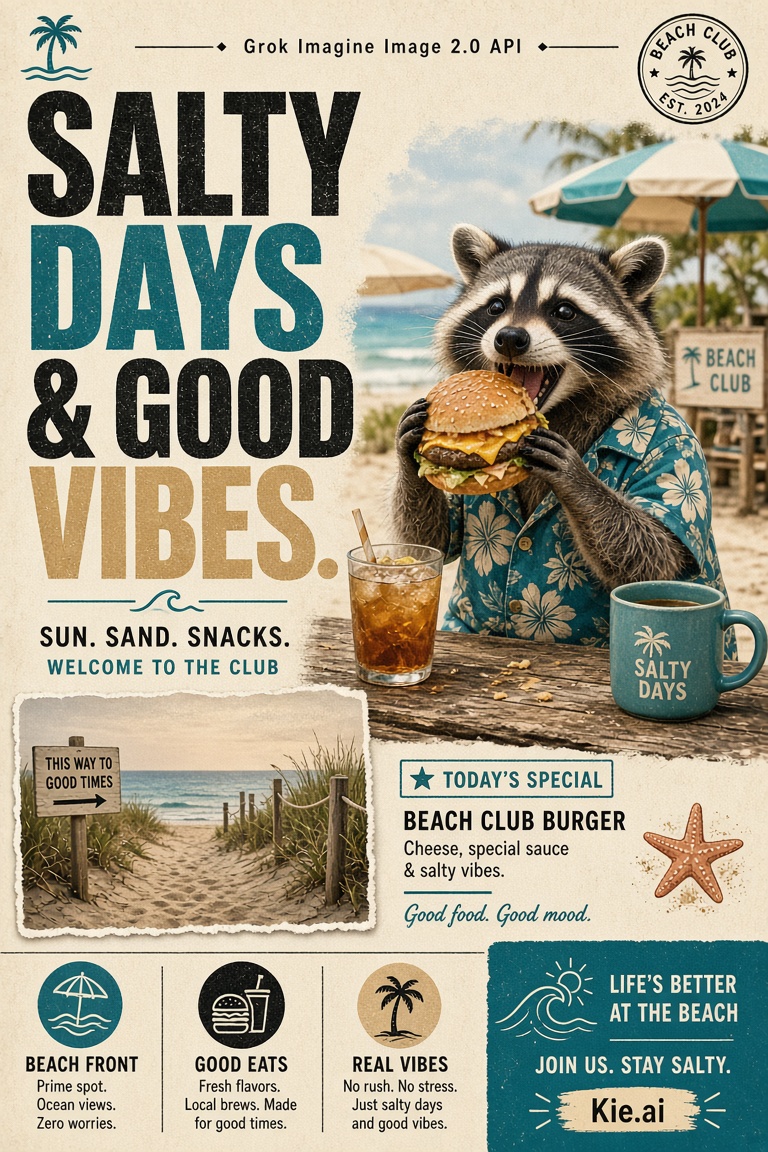
Design a retro beach club promotional poster in a clean vertical editorial layout, inspired by vintage travel flyers and lifestyle ads, with a warm off-white paper background, subtle grain, lightly distressed print texture, and a teal, black, cream, and sandy beige color palette. Use a bold stacked headline on the left that reads “SALTY DAYS & GOOD VIBES.” in large condensed typography, with strong hierarchy and slightly weathered ink. On the right, show a charming photorealistic raccoon wearing a teal Hawaiian shirt, sitting at a rustic beachside table and happily eating a cheeseburger, with a sunny beach club setting, umbrellas, and soft coastal scenery behind it. Include smaller supporting blocks, icons, and captions in a balanced magazine-style layout, such as a beach club badge, a food special, a small beach-path photo, and a simple bottom section with icons for beach front, good eats, and real vibes. Integrate “Grok Imagine Image 2.0 API” naturally as a small brand/header element near the top, and include “{{appName}}” as a subtle supporting platform mention in a lower callout or footer area. Keep the text limited and visually clean rather than crowded, with a polished but playful lifestyle-branding feel. The overall composition should closely match the reference style: oversized text block on the left, hero animal photo on the upper right, supporting image block on the lower left, structured feature section near the bottom center, and a colored callout panel on the lower right. Make it visually rich, highly readable, stylish, and commercial, with a warm beach mood and strong retro poster appeal, but avoid futuristic, cyberpunk, or abstract aesthetics.
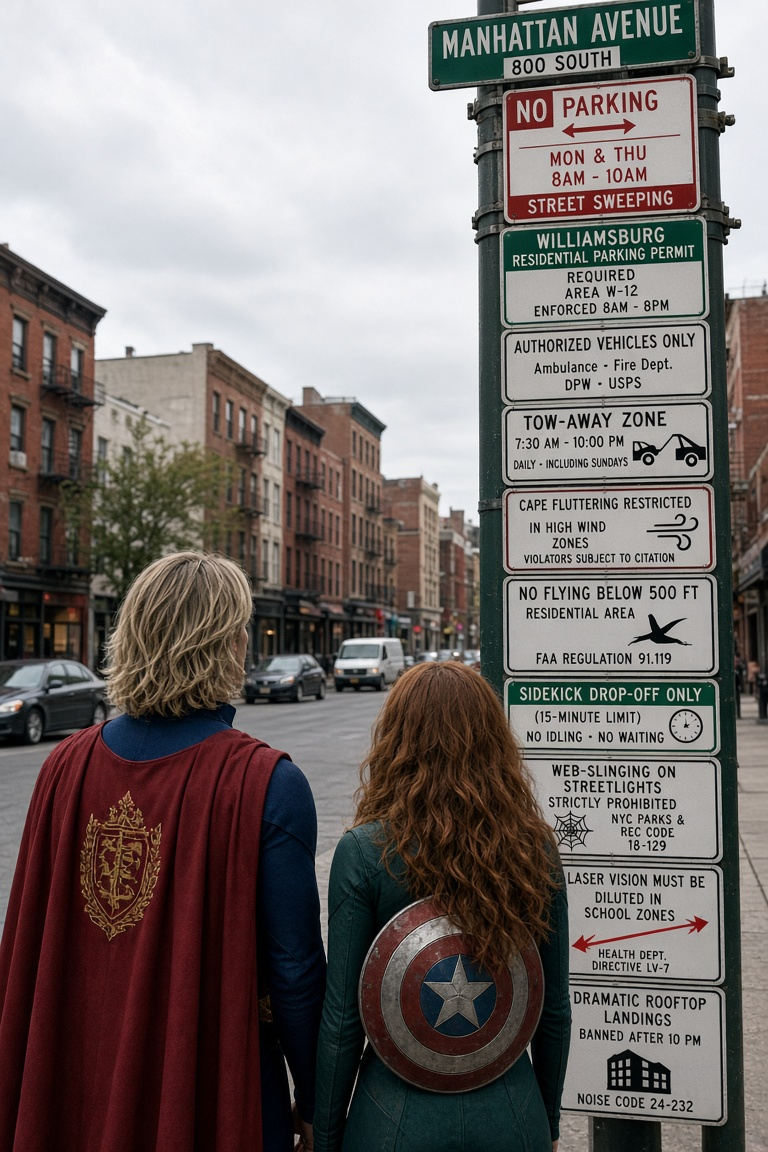
Photorealistic image of two young superheroes in their mid-20s standing on a random street in Williamsburg, Brooklyn, staring at an overloaded sign pole. One has ash balayage hair, the other has long wavy auburn hair. They stand in the immediate foreground with their backs slightly turned to the camera, heads tilted in pure bureaucratic disbelief as they read the signs. The pole on the right is completely covered in densely packed, realistic municipal street signs. Mixed in with the normal ones (street sweeping hours, parking permits, vehicle classifications, towing zones) are these perfectly official-looking but ridiculous signs: - “Cape Fluttering Restricted in High Wind Zones” - “No Flying Below 500 ft – Residential Area” - “Sidekick Drop-Off Only (15-Minute Limit)” - “Web-Slinging on Streetlights Strictly Prohibited” - “Laser Vision Must Be Diluted in School Zones” - “Dramatic Rooftop Landings Banned After 10 PM” One hero is wearing a flowing cape, the other has a small round shield strapped to her back. Composition from back to front: Williamsburg street with parked cars and brick buildings → the chaotic sign pole → the two superheroes closest to camera. Natural daylight, sharp detail, candid documentary style, dry absurd humor.
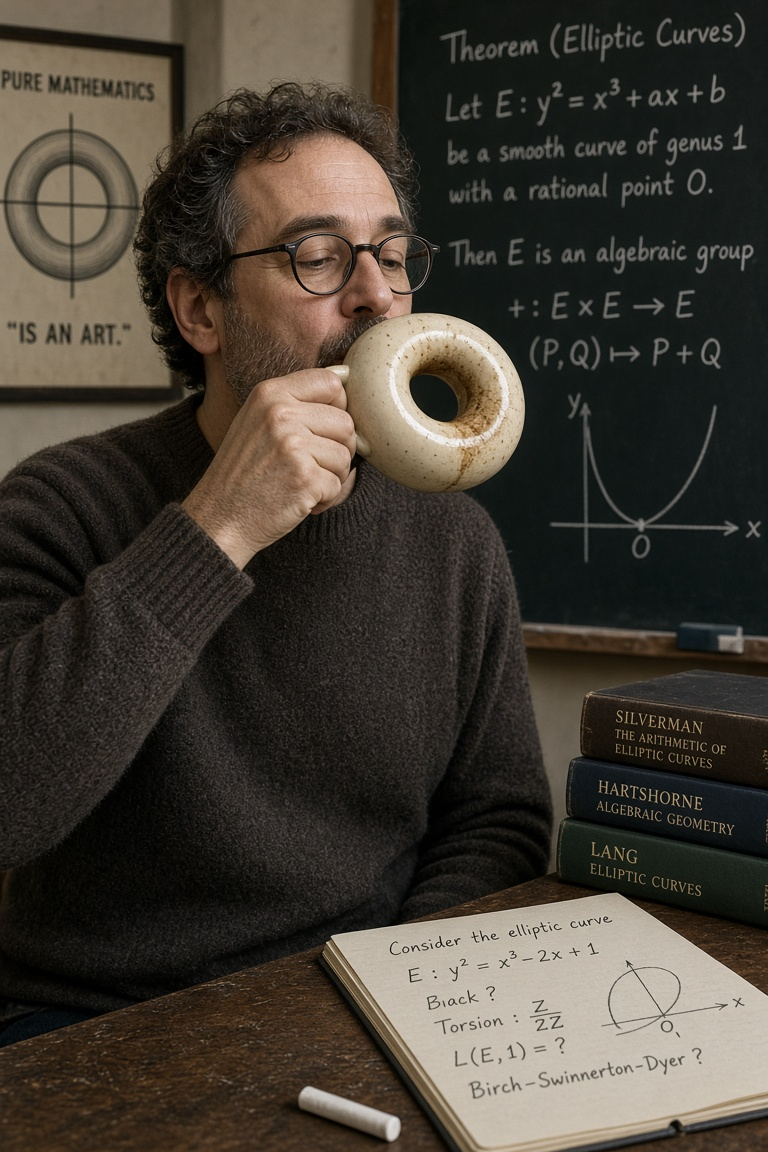
A mathematician drinking from an object of genus 1 .
What is Grok Imagine Image 2.0?
Grok Imagine Image 2.0 is an image generation model from xAI. xAI’s description highlights instruction following, readable text and visual consistency across photography, illustrations and graphic layouts.
On UniRoute, the callable text-to-image variant accepts a text prompt and an aspect ratio. Describe the subject, composition, style and any words that should appear in the image, then choose the framing before you run it.
xAI presents this generation as an improvement in prompt following, typography and visual control. You can explore those claims with detailed text prompts; the specs below show the options currently available through UniRoute.
What you can do
What you can do with Grok Imagine Image 2.0 through UniRoute today.
Text to image
Turn a written brief into a new image. Include the scene, visual style, layout and any text you want in the composition, then select an aspect ratio.
Other Grok Imagine Image 2.0 modes (reference-based editing, segment editing and segmentation maps) are not available on UniRoute yet.
Specs & variants
The variants you can call, with their options and prices.
| Variant | Model ID | Modes | Inputs | Output | Price |
|---|---|---|---|---|---|
| Grok Imagine Image 2.0 | grok-imagine-image-2-0/text-to-image | Text to image | Text prompt and an option for aspect ratio | Aspect ratio: 1:1, 16:9, 9:16, 2:3, 3:2 | $0.03 per request |
Pricing
Priced per request. The option you choose sets the price.
| Grok Imagine Image 2.0 | |
|---|---|
| 1:1 | $0.03 |
| 16:9 | $0.03 |
| 9:16 | $0.03 |
| 2:3 | $0.03 |
| 3:2 | $0.03 |
Rounded to the cent; the live quote in the workspace shows the exact amount. Prices updated 2026-11-25.
Pay as you go from a single USD wallet balance. You see the quote before each request.
API
Call Grok Imagine Image 2.0 from your own code with the media API.
cURL
# Requires bash, curl and jq. Set API_KEY to your own unified UniRoute Key.set -euo pipefail: "${API_KEY:?Set API_KEY first}"BASE='https://api.uniroute.app/v1/media'MODEL='grok-imagine-image-2-0/text-to-image'OPTION='1:1'PROMPT='A calm sunrise over a mountain lake'curl -fsS --max-time 60 "$BASE/catalog" -H "Authorization: Bearer $API_KEY" | jq -e '.data.models'BODY=$(jq -n --arg model "$MODEL" --arg option "$OPTION" --arg prompt "$PROMPT" '{model:$model,option:$option,prompt:$prompt}')QUOTE_BODY=$(printf '%s' "$BODY" | jq '{model,option}')QUOTE=$(curl -fsS --max-time 60 "$BASE/quote" -H "Authorization: Bearer $API_KEY" -H 'Content-Type: application/json' -d "$QUOTE_BODY")CAP=$(printf '%s' "$QUOTE" | jq -er '.data.quoted_usd')BODY=$(printf '%s' "$BODY" | jq --arg cap "$CAP" '. + {max_cost_usd:$cap}')IDEMPOTENCY="example-$(date +%s)-$$"create() { curl -fsS --max-time 60 "$BASE/tasks" -H "Authorization: Bearer $API_KEY" -H "Idempotency-Key: $IDEMPOTENCY" -H 'Content-Type: application/json' -d "$BODY"; }TASK_ID=$(create | jq -er '.data.task_id')# The same request and idempotency key must return the original task without charging again.REPLAY_ID=$(create | jq -er '.data.task_id')[ "$TASK_ID" = "$REPLAY_ID" ]for attempt in $(seq 1 120); do TASK=$(curl -fsS --max-time 60 "$BASE/tasks/$TASK_ID" -H "Authorization: Bearer $API_KEY") printf '%s' "$TASK" | jq -e '.data | {task_id,status,billing}' if printf '%s' "$TASK" | jq -e '.data.status == "success" and .data.billing.state == "charged"' >/dev/null; then index=0 while IFS= read -r url; do index=$((index+1)) curl -fL --max-time 120 "$url" -o "$TASK_ID-$index.bin" done < <(printf '%s' "$TASK" | jq -er '.data.urls[].url') break fi if printf '%s' "$TASK" | jq -e '.data.status == "failed" and .data.billing.state == "released"' >/dev/null; then exit 1; fi if [ "$attempt" = 120 ]; then echo "Polling limit reached. Keep task ID $TASK_ID and query it later; do not create a new task." >&2 exit 1 fi sleep 5donecurl -fsS --max-time 60 "$BASE/tasks?limit=20" -H "Authorization: Bearer $API_KEY" | jq -e '.data'# Check this task and the caller Key in Console usage; billing.charged_usd is the actual USD charge.Parameters
| Name | In | Description |
|---|---|---|
model | Body | Model ID to run. |
option | Body | One of the options offered for the model: 1:1, 16:9, 9:16, 2:3, 3:2. |
prompt | Body | Text prompt describing what to generate. |
max_cost_usd | Body | Maximum cost in USD for this task, taken from the quote. |
Idempotency-Key | Header | A unique key per task, so a repeated request returns the original task instead of charging again. |
Guides
Use cases
Typical ways to put Grok Imagine Image 2.0 to work.
Campaign posters
Describe a headline, supporting copy and a visual theme to explore poster concepts and promotional graphics.
Editorial illustrations
Turn an abstract idea or a written scene into an illustration, then adjust the composition and style with a revised prompt.
Social and product visuals
Draft social graphics and product scenes from a brief, choosing an aspect ratio that fits the intended placement.
Image generation in your app
Use the media API to create images from user prompts, request a quote before submission and poll the task for its result.
FAQ
Common questions about Grok Imagine Image 2.0.
What is Grok Imagine Image 2.0?
Grok Imagine Image 2.0 is an xAI image generation model. On UniRoute, you can create images from text prompts in the workspace on this page or through the media API.
Which variant is available here?
The text-to-image variant is callable here. Its model ID is grok-imagine-image-2-0/text-to-image, and the specs and pricing tables list its available aspect ratios.
Can I upload a reference image or edit a region?
Not currently. The callable variant accepts a text prompt and an aspect ratio; reference-image and region-editing variants are not available through UniRoute.
How much does Grok Imagine Image 2.0 cost?
From $0.03 / image. Each image request is quoted before submission. The Pricing section lists the available options and their rates (prices updated 2026-11-25).
How do I use the API?
Request a quote for the model and aspect ratio, create a media task with an Idempotency-Key and a maximum cost, then poll the task until its output is ready. The API section shows the request sequence.
Can it put words inside an image?
xAI’s description highlights typography and text-rich layouts. Put the exact wording and its intended placement in your prompt, and check the generated text before using the image.
Is there a free trial or free credits?
No. Generation is paid from your wallet balance. You can open the workspace and review the price without paying, create an account to see a live quote for your exact settings, and you are charged only for requests that are accepted.
Related models
Other versions, models from the same provider and alternatives.