Loading model…正在加载模型详情…

 Google
Generate images from text with Google’s Imagen 4, with standard, Fast and Ultra variants in one workspace.
- From $0.03 / image
- 1:1, 16:9 or 9:16
Examples
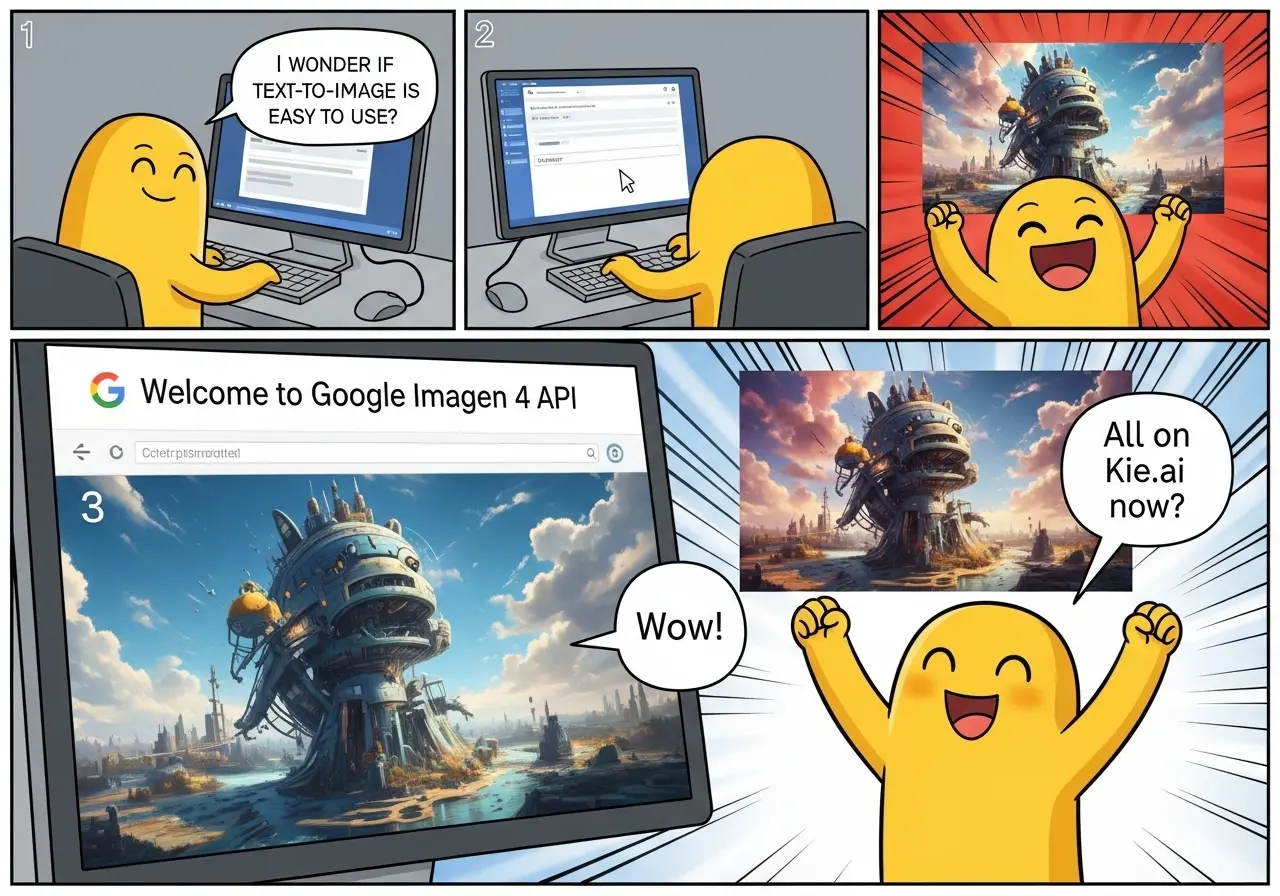
A comic strip with a friendly mascot character using Google Imagen 4 API. Panel one shows the character in front of a computer screen saying, 'I wonder if text-to-image is easy to use?'. Panel two shows the character typing into the computer. Panel three shows the computer displaying 'Welcome to Google Imagen 4 API' with a photo-realistic image on screen. Panel four shows the mascot happily saying 'All on {{appName}} now!' while a colorful image appears on the screen.

A winter scene in a dense forest, where a person wearing a cozy knit sweater is crouched down, feeding a group of snow foxes. The snow-covered trees stretch high into the sky, and snowflakes gently fall. The foxes are playful, and the image captures intricate details of the fur, the snow on the ground, and the peaceful interaction between the person and the animals.
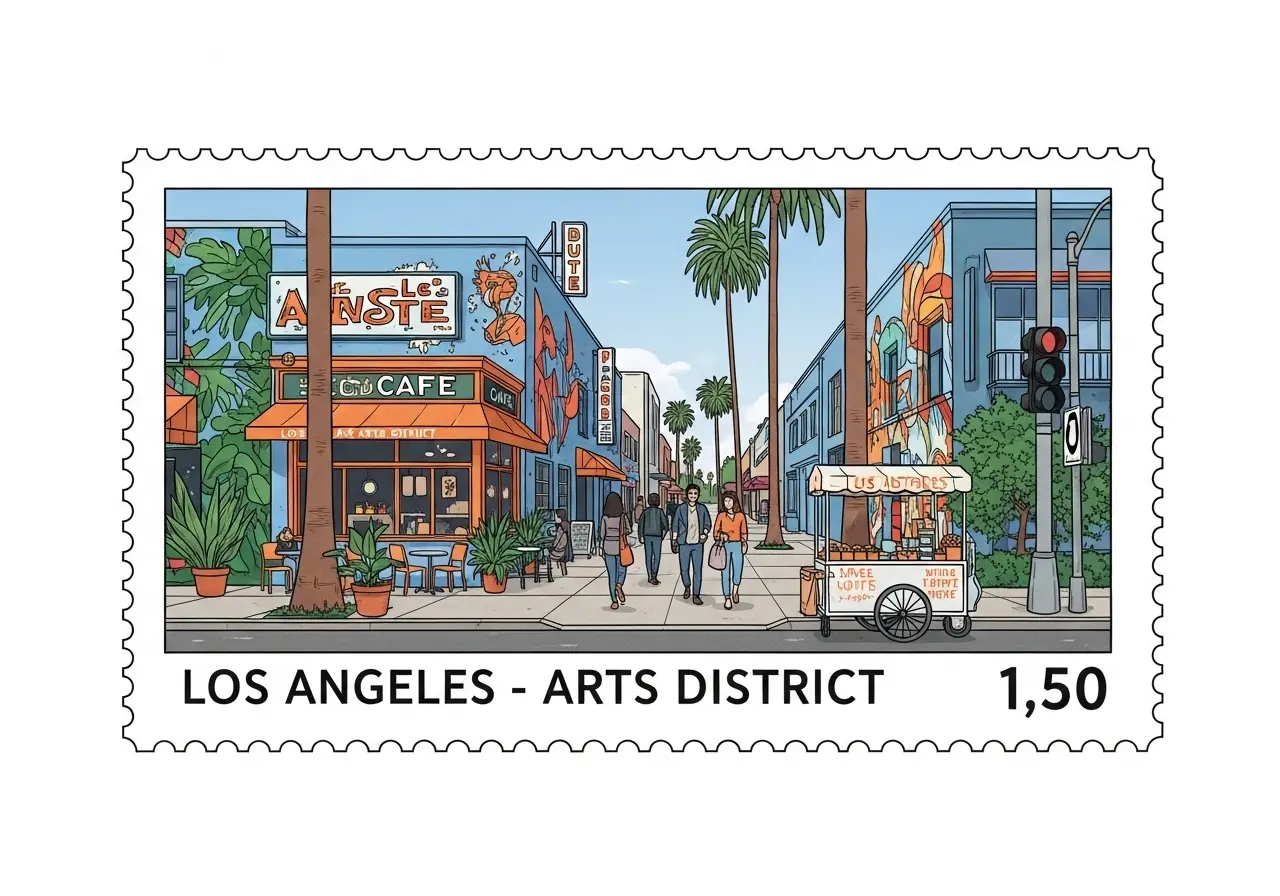
Create a high-definition, horizontally oriented rectangular stamp illustration inspired by Los Angeles’s Arts District. The design should feature an artistic street with colorful murals, a bustling cafe, and pedestrians walking down the sidewalk. Tall palm trees and green plants should line the street. A vintage vendor cart adds to the charm. The stamp should read 'Los Angeles - Arts District' and display the price '1.50'. The color palette should feature soft blues and vibrant oranges, all illustrated with fine details in high resolution.
What is Imagen 4?
Imagen 4 is Google’s text-to-image model family. The standard, Fast and Ultra variants accept a written image description and an aspect option on UniRoute.
Describe the subject, action and visual style, then choose one of the catalog options and review the request quote. The available input is text and the catalog option; reference-media inputs are not exposed for these variants.
Choose standard, Fast or Ultra by the settings and request prices listed below; an unavailable image-editing mode is not offered in the workspace.
What you can do
What you can do with Imagen 4 through UniRoute today.
Text to image
Describe the subject, action and visual style, then choose one of the catalog options and review the request quote.
The workspace shows only callable variants; other family operations are not available on UniRoute yet.
Specs & variants
The variants you can call, with their options and prices.
| Variant | Model ID | Modes | Inputs | Output | Price |
|---|---|---|---|---|---|
| Imagen 4 Fast | google/imagen4-fast | Text to image | Text prompt and an option for aspect ratio | Aspect ratio: 1:1, 16:9 | $0.03 per request |
| Imagen 4 Ultra | google/imagen4-ultra | Text to image | Text prompt and an option for aspect ratio | Aspect ratio: 1:1, 16:9, 9:16 | $0.08 per request |
| Imagen 4 | google/imagen4 | Text to image | Text prompt and an option for aspect ratio | Aspect ratio: 1:1, 16:9, 9:16 | $0.05 per request |
Pricing
Priced per request. The option you choose sets the price.
| Imagen 4 Fast | |
|---|---|
| 1:1 | $0.03 |
| 16:9 | $0.03 |
| Imagen 4 Ultra | |
|---|---|
| 1:1 | $0.08 |
| 16:9 | $0.08 |
| 9:16 | $0.08 |
| Imagen 4 | |
|---|---|
| 1:1 | $0.05 |
| 16:9 | $0.05 |
| 9:16 | $0.05 |
Rounded to the cent; the live quote in the workspace shows the exact amount. Prices updated 2026-11-08.
Pay as you go from a single USD wallet balance. You see the quote before each request.
API
Call Imagen 4 from your own code with the media API.
cURL
# Requires bash, curl and jq. Set API_KEY to your own unified UniRoute Key.set -euo pipefail: "${API_KEY:?Set API_KEY first}"BASE='https://api.uniroute.app/v1/media'MODEL='google/imagen4-ultra'OPTION='1:1'PROMPT='A calm sunrise over a mountain lake'curl -fsS --max-time 60 "$BASE/catalog" -H "Authorization: Bearer $API_KEY" | jq -e '.data.models'BODY=$(jq -n --arg model "$MODEL" --arg option "$OPTION" --arg prompt "$PROMPT" '{model:$model,option:$option,prompt:$prompt}')QUOTE_BODY=$(printf '%s' "$BODY" | jq '{model,option}')QUOTE=$(curl -fsS --max-time 60 "$BASE/quote" -H "Authorization: Bearer $API_KEY" -H 'Content-Type: application/json' -d "$QUOTE_BODY")CAP=$(printf '%s' "$QUOTE" | jq -er '.data.quoted_usd')BODY=$(printf '%s' "$BODY" | jq --arg cap "$CAP" '. + {max_cost_usd:$cap}')IDEMPOTENCY="example-$(date +%s)-$$"create() { curl -fsS --max-time 60 "$BASE/tasks" -H "Authorization: Bearer $API_KEY" -H "Idempotency-Key: $IDEMPOTENCY" -H 'Content-Type: application/json' -d "$BODY"; }TASK_ID=$(create | jq -er '.data.task_id')# The same request and idempotency key must return the original task without charging again.REPLAY_ID=$(create | jq -er '.data.task_id')[ "$TASK_ID" = "$REPLAY_ID" ]for attempt in $(seq 1 120); do TASK=$(curl -fsS --max-time 60 "$BASE/tasks/$TASK_ID" -H "Authorization: Bearer $API_KEY") printf '%s' "$TASK" | jq -e '.data | {task_id,status,billing}' if printf '%s' "$TASK" | jq -e '.data.status == "success" and .data.billing.state == "charged"' >/dev/null; then index=0 while IFS= read -r url; do index=$((index+1)) curl -fL --max-time 120 "$url" -o "$TASK_ID-$index.bin" done < <(printf '%s' "$TASK" | jq -er '.data.urls[].url') break fi if printf '%s' "$TASK" | jq -e '.data.status == "failed" and .data.billing.state == "released"' >/dev/null; then exit 1; fi if [ "$attempt" = 120 ]; then echo "Polling limit reached. Keep task ID $TASK_ID and query it later; do not create a new task." >&2 exit 1 fi sleep 5donecurl -fsS --max-time 60 "$BASE/tasks?limit=20" -H "Authorization: Bearer $API_KEY" | jq -e '.data'# Check this task and the caller Key in Console usage; billing.charged_usd is the actual USD charge.Parameters
| Name | In | Description |
|---|---|---|
model | Body | Model ID to run. |
option | Body | One of the options offered for the model: 1:1, 16:9, 9:16. |
prompt | Body | Text prompt describing what to generate. |
max_cost_usd | Body | Maximum cost in USD for this task, taken from the quote. |
Idempotency-Key | Header | A unique key per task, so a repeated request returns the original task instead of charging again. |
Guides
Use cases
Typical ways to put Imagen 4 to work.
Creative sketches
Explore a visual idea from a written brief, then revise the description to refine the result.
Content production
Use the generated result as a draft in a wider production workflow and review it before publication.
Application integration
Use the media API to quote a request, create a task and poll until the output is ready.
FAQ
Common questions about Imagen 4.
What is Imagen 4?
Imagen 4 is Google’s text-to-image model family. The standard, Fast and Ultra variants accept a written image description and an aspect option on UniRoute.
Which variants can I use?
The variant selector lists the callable model IDs on UniRoute. Unavailable operations are omitted, and the specifications table shows the available options.
How much does Imagen 4 cost?
From $0.03 / image. The Pricing section lists the available rates for the selected variant and settings, with prices updated 2026-11-08.
How do I call it from code?
Use the media API to request a quote, create a task with an Idempotency-Key and a maximum cost, then poll for the result.
What inputs does this workspace accept?
Describe the subject, action and visual style, then choose one of the catalog options and review the request quote. Reference-media inputs are not exposed for the callable variants shown here.
Is there a free trial or free credits?
No. Generation is paid from your wallet balance. You can open the workspace and review the price without paying, create an account to see a live quote for your exact settings, and you are charged only for requests that are accepted.
Related models
Other versions, models from the same provider and alternatives.