Loading model…正在加载模型详情…

 Alibaba
Generate images from text with Alibaba's Qwen Image 2.1, with a focus on people, product detail and text-rich graphics.
- From $0.03 / image
- 1K to 2K
- 1:1, 16:9 or 9:16

Examples
Create a horizontal 3:2 botanical art poster photographed directly from above. On a rich cobalt-blue matte surface, arrange fresh flowers into the exact readable phrase "{{appName}}". The letters themselves are physical floral sculptures, not printed text and not typography placed over an image. Build the letterforms from densely arranged coral-orange ranunculus, pale peach carnations, and small cream chrysanthemums. Use flower heads of different sizes to create deliberate thick and thin strokes while preserving clean, recognizable letter shapes. Preserve the exact capitalization: uppercase K, lowercase i and e, followed by a clear space, then uppercase A and I. Keep the counters and gaps open so the phrase reads immediately. Make the floral lettering the dominant central subject, occupying roughly two-thirds of the image width. Allow a few short stems and delicate leaves to extend naturally beyond the letter edges, with just three or four loose petals nearby. Maintain generous untouched blue space around the arrangement. Use directional morning sunlight from the upper left to reveal translucent petal edges, tightly layered blooms, and crisp but delicate shadows cast onto the blue surface. Combine the precision of a contemporary exhibition poster with the tactile beauty of real floral craftsmanship. Bold color contrast, elegant spacing, finely resolved botanical details.
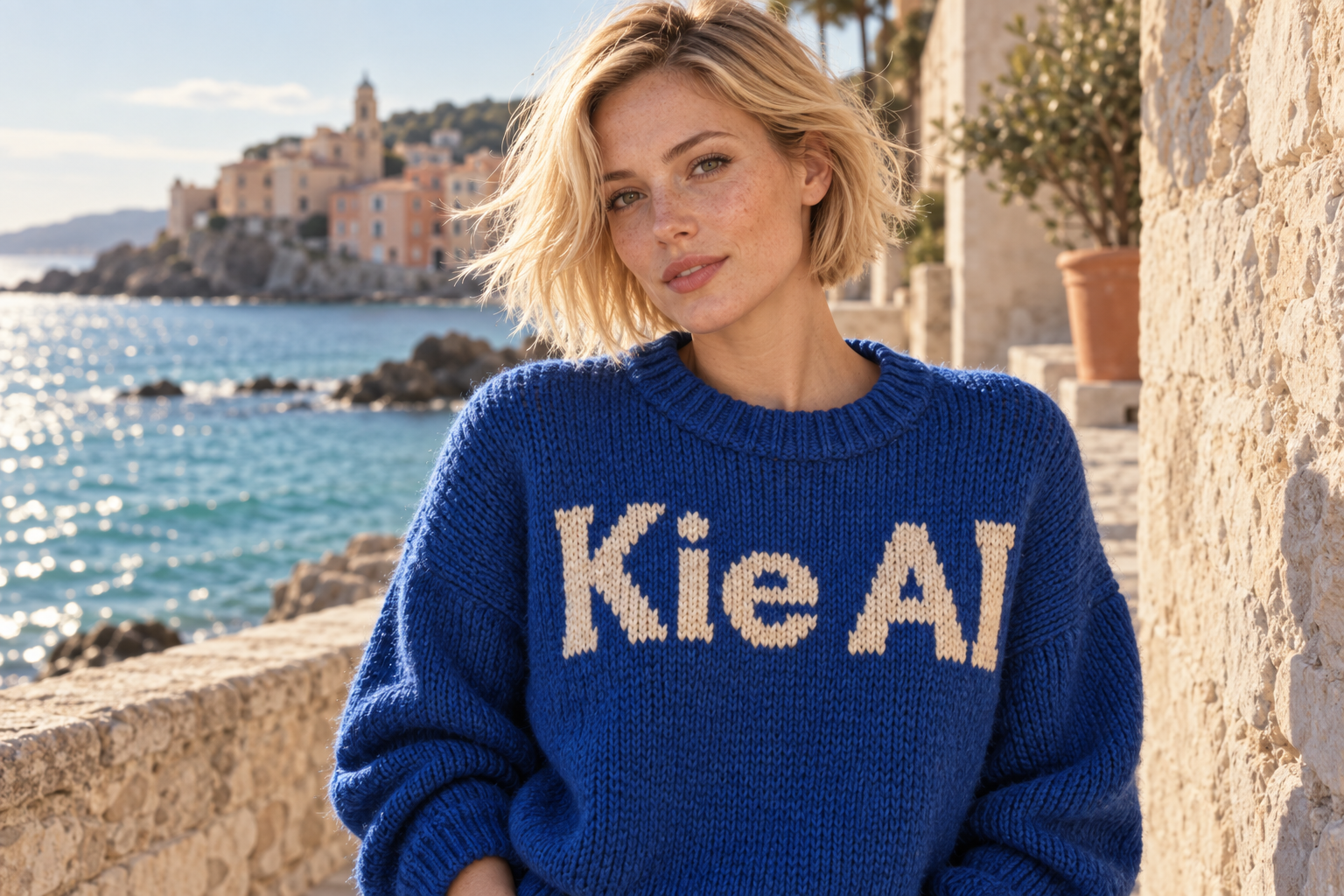
Create a horizontal 3:2 fashion editorial photograph of an adult woman with a short blonde bob standing beside a sunlit Mediterranean seawall. Frame her from the waist up, with her body almost front-facing and her head turned slightly toward the camera. A gentle sea breeze lifts a few individual strands of hair. Her expression is relaxed and quietly confident. She wears a loose cobalt-blue knitted sweater. The exact text "{{appName}}" is knitted directly into the upper chest in large cream-colored intarsia lettering. Each letter is constructed from visible yarn stitches, sharing the texture, folds, and shadows of the sweater. Keep the complete wording readable, with no hair or accessories covering it. Capture natural skin texture, subtle freckles, believable eyes, soft lip texture, and individual wool fibers. Late-afternoon sunlight illuminates one side of her face, with soft reflected light from the pale stone wall. A turquoise sea and a distant peach-colored building form a softly blurred background.
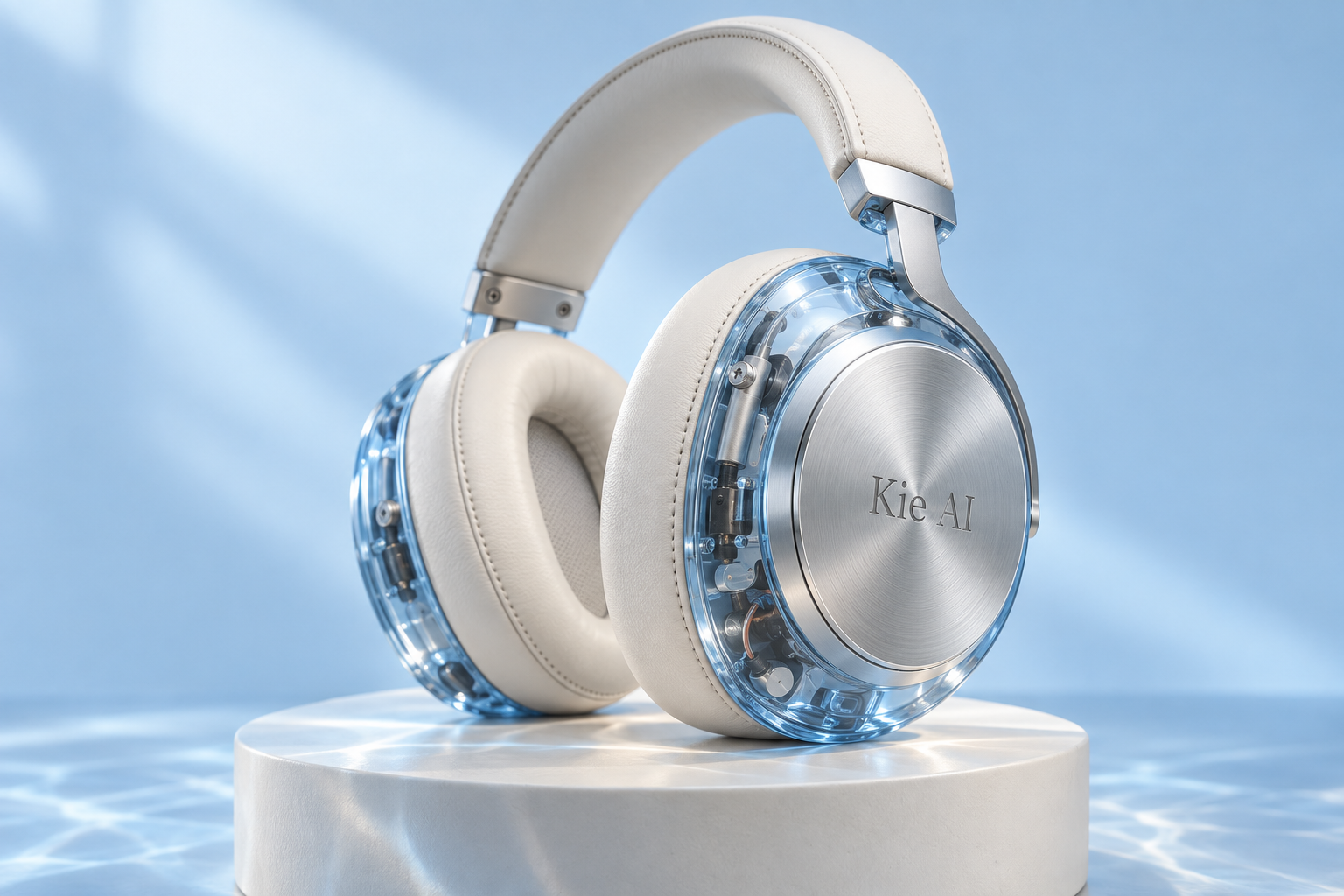
Create a horizontal 3:2 premium ecommerce hero photograph of a beautifully designed pair of over-ear headphones. The headphones have translucent ice-blue outer shells, brushed silver aluminum earcup plates, and soft ivory leather cushions with fine stitching. Position the headphones upright at a three-quarter angle on a low, warm-white cylindrical pedestal. Turn the nearest earcup toward the camera so its broad aluminum surface is clearly visible. Engrave the exact text "{{appName}}" into this metal plate, using elegant, highly readable lettering. The engraved strokes have subtle recessed edges and tiny directional shadows, physically belonging to the metal rather than appearing as a digital overlay. Reveal carefully arranged internal components through the translucent blue shell without making the design visually cluttered. Show realistic glass-like refraction in the shell, fine directional grain in the aluminum, and gentle compression in the leather cushions.
What is Qwen Image 2.1?
Qwen Image 2.1 is Alibaba's image generation and editing model. Alibaba describes a compact design with improved fidelity for people, products and typography.
On UniRoute, the text-to-image variant accepts a prompt and a size option combining resolution and aspect ratio. The workspace and tables list the options you can use for each request.
Qwen Image 2.1 follows Qwen Image 2.0 in the same model line. Alibaba’s description highlights efficient image creation and finer people, product and text detail; Qwen Image 3.0 is also linked below for comparison.
What you can do
What you can do with Qwen Image 2.1 through UniRoute today.
Text to image
Describe the subject, composition and any text that should appear. Pick an available size and review the quote before creating the image.
Other Qwen Image 2.1 modes and controls (reference-image editing, masks and transparent output) are not available on UniRoute yet.
Specs & variants
The variants you can call, with their options and prices.
| Variant | Model ID | Modes | Inputs | Output | Price |
|---|---|---|---|---|---|
| Qwen Image 2.1 | qwen2-1/text-to-image | Text to image | Text prompt and a size option | Resolution: 1K, 2K; Aspect ratio: 1:1, 16:9, 9:16 | $0.03 to $0.05 per request |
Pricing
Priced per request. The option you choose sets the price.
| Qwen Image 2.1 | |
|---|---|
| 1K · 1:1 | $0.03 |
| 1K · 16:9 | $0.03 |
| 1K · 9:16 | $0.03 |
| 2K · 1:1 | $0.05 |
| 2K · 16:9 | $0.05 |
| 2K · 9:16 | $0.05 |
Rounded to the cent; the live quote in the workspace shows the exact amount. Prices updated 2026-11-25.
Pay as you go from a single USD wallet balance. You see the quote before each request.
API
Call Qwen Image 2.1 from your own code with the media API.
cURL
# Requires bash, curl and jq. Set API_KEY to your own unified UniRoute Key.set -euo pipefail: "${API_KEY:?Set API_KEY first}"BASE='https://api.uniroute.app/v1/media'MODEL='qwen2-1/text-to-image'OPTION='1K:1:1'PROMPT='A calm sunrise over a mountain lake'curl -fsS --max-time 60 "$BASE/catalog" -H "Authorization: Bearer $API_KEY" | jq -e '.data.models'BODY=$(jq -n --arg model "$MODEL" --arg option "$OPTION" --arg prompt "$PROMPT" '{model:$model,option:$option,prompt:$prompt}')QUOTE_BODY=$(printf '%s' "$BODY" | jq '{model,option}')QUOTE=$(curl -fsS --max-time 60 "$BASE/quote" -H "Authorization: Bearer $API_KEY" -H 'Content-Type: application/json' -d "$QUOTE_BODY")CAP=$(printf '%s' "$QUOTE" | jq -er '.data.quoted_usd')BODY=$(printf '%s' "$BODY" | jq --arg cap "$CAP" '. + {max_cost_usd:$cap}')IDEMPOTENCY="example-$(date +%s)-$$"create() { curl -fsS --max-time 60 "$BASE/tasks" -H "Authorization: Bearer $API_KEY" -H "Idempotency-Key: $IDEMPOTENCY" -H 'Content-Type: application/json' -d "$BODY"; }TASK_ID=$(create | jq -er '.data.task_id')# The same request and idempotency key must return the original task without charging again.REPLAY_ID=$(create | jq -er '.data.task_id')[ "$TASK_ID" = "$REPLAY_ID" ]for attempt in $(seq 1 120); do TASK=$(curl -fsS --max-time 60 "$BASE/tasks/$TASK_ID" -H "Authorization: Bearer $API_KEY") printf '%s' "$TASK" | jq -e '.data | {task_id,status,billing}' if printf '%s' "$TASK" | jq -e '.data.status == "success" and .data.billing.state == "charged"' >/dev/null; then index=0 while IFS= read -r url; do index=$((index+1)) curl -fL --max-time 120 "$url" -o "$TASK_ID-$index.bin" done < <(printf '%s' "$TASK" | jq -er '.data.urls[].url') break fi if printf '%s' "$TASK" | jq -e '.data.status == "failed" and .data.billing.state == "released"' >/dev/null; then exit 1; fi if [ "$attempt" = 120 ]; then echo "Polling limit reached. Keep task ID $TASK_ID and query it later; do not create a new task." >&2 exit 1 fi sleep 5donecurl -fsS --max-time 60 "$BASE/tasks?limit=20" -H "Authorization: Bearer $API_KEY" | jq -e '.data'# Check this task and the caller Key in Console usage; billing.charged_usd is the actual USD charge.Parameters
| Name | In | Description |
|---|---|---|
model | Body | Model ID to run. |
option | Body | One of the options offered for the model: 1K:1:1, 1K:16:9, 1K:9:16, 2K:1:1, 2K:16:9, 2K:9:16. |
prompt | Body | Text prompt describing what to generate. |
max_cost_usd | Body | Maximum cost in USD for this task, taken from the quote. |
Idempotency-Key | Header | A unique key per task, so a repeated request returns the original task instead of charging again. |
Guides
Use cases
Typical ways to put Qwen Image 2.1 to work.
Product imagery
Describe product materials, lighting and surroundings to draft a new product scene from text.
Posters and infographics
Specify the wording, hierarchy and layout for a text-rich graphic or promotional poster.
Portraits and illustrations
Explore people, clothing, settings and illustration styles through a detailed written brief.
FAQ
Common questions about Qwen Image 2.1.
What is Qwen Image 2.1?
Qwen Image 2.1 is Alibaba's image generation and editing model. Alibaba describes a compact design with improved fidelity for people, products and typography.
Which settings can I choose?
Choose a resolution and aspect ratio combination from the workspace. The catalog does not expose separate transparency, mask, seed or reference-image controls for this variant.
How much does Qwen Image 2.1 cost?
From $0.03 / image. Each request is quoted for your selected variant and option. The full table is in the Pricing section (prices updated 2026-11-25).
Which generation mode is available?
The variants listed here generate new images from text prompts. The workspace shows the options exposed by the current catalog.
How do I call Qwen Image 2.1 from code?
Use the media API: request a quote for your model and option, create a task with an Idempotency-Key and a maximum cost, then poll the task until the result is ready. The API section shows a complete example and the parameters.
Is there a free trial or free credits?
No. Generation is paid from your wallet balance. You can open the workspace and review the price without paying, create an account to see a live quote for your exact settings, and you are charged only for requests that are accepted.
Related models
Other versions, models from the same provider and alternatives.