Loading model…正在加载模型详情…

 ByteDance
Generate images from text with ByteDance's Seedream 4.5, with an emphasis on coherent scenes, material detail and clear layouts.
- From $0.04 / image
- 1:1, 16:9 or 9:16
Examples
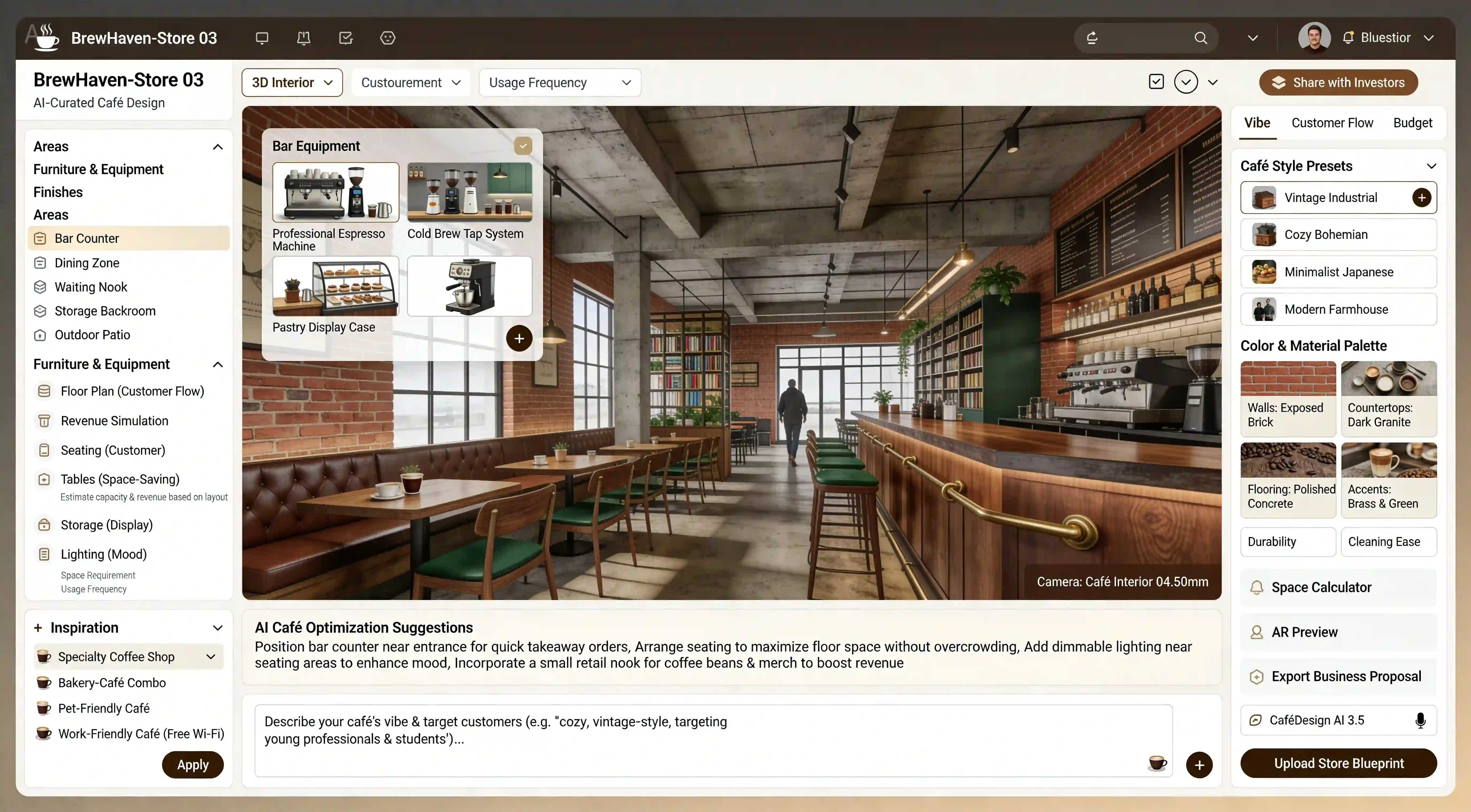
A full-process cafe design tool for entrepreneurs and designers. It covers core needs including store layout, functional zoning, decoration style, equipment selection, and customer group adaptation, supporting integrated planning of "commercial attributes + aesthetic design." Suitable as a promotional image for a cafe design SaaS product, with a 16:9 aspect ratio.

An extremely visually striking office scene: A professional sits at a workstation cluttered with documents and two additional monitors, while the entire space is densely covered with a vast number of yellow sticky notes—spreading from the walls to the ceiling and scattered across the floor. Each sticky note is filled with handwritten text, as if representing countless pending tasks or pieces of information, with the visual focus guided by the sticky notes converging on the professional's position.
What is Seedream 4.5?
Seedream 4.5 is ByteDance's image generation and editing model. ByteDance describes it as improving textures, lighting, spatial relationships and the handling of detailed visual instructions.
UniRoute offers the seedream/4.5-text-to-image variant with a text prompt and an aspect ratio option. The workspace and specs table show the available shapes; the catalog does not expose a separate resolution setting.
Seedream 4.5 follows Seedream 4.0. ByteDance's description highlights stronger prompt adherence, spatial alignment and scene coherence, while later Seedream versions are linked below for comparison.
What you can do
What you can do with Seedream 4.5 through UniRoute today.
Text to image
Describe the subject, style, composition and any wording you want in the image. Choose an available option and review the quote before running.
Other Seedream 4.5 modes (image editing and multi-image reference workflows) are not available on UniRoute yet.
Specs & variants
The variants you can call, with their options and prices.
| Variant | Model ID | Modes | Inputs | Output | Price |
|---|---|---|---|---|---|
| Seedream 4.5 | seedream/4.5-text-to-image | Text to image | Text prompt and an option for aspect ratio | Aspect ratio: 1:1, 16:9, 9:16 | $0.04 per request |
Pricing
Priced per request. The option you choose sets the price.
| Seedream 4.5 | |
|---|---|
| 1:1 | $0.04 |
| 16:9 | $0.04 |
| 9:16 | $0.04 |
Rounded to the cent; the live quote in the workspace shows the exact amount. Prices updated 2026-11-08.
Pay as you go from a single USD wallet balance. You see the quote before each request.
API
Call Seedream 4.5 from your own code with the media API.
cURL
# Requires bash, curl and jq. Set API_KEY to your own unified UniRoute Key.set -euo pipefail: "${API_KEY:?Set API_KEY first}"BASE='https://api.uniroute.app/v1/media'MODEL='seedream/4.5-text-to-image'OPTION='1:1'PROMPT='A calm sunrise over a mountain lake'curl -fsS --max-time 60 "$BASE/catalog" -H "Authorization: Bearer $API_KEY" | jq -e '.data.models'BODY=$(jq -n --arg model "$MODEL" --arg option "$OPTION" --arg prompt "$PROMPT" '{model:$model,option:$option,prompt:$prompt}')QUOTE_BODY=$(printf '%s' "$BODY" | jq '{model,option}')QUOTE=$(curl -fsS --max-time 60 "$BASE/quote" -H "Authorization: Bearer $API_KEY" -H 'Content-Type: application/json' -d "$QUOTE_BODY")CAP=$(printf '%s' "$QUOTE" | jq -er '.data.quoted_usd')BODY=$(printf '%s' "$BODY" | jq --arg cap "$CAP" '. + {max_cost_usd:$cap}')IDEMPOTENCY="example-$(date +%s)-$$"create() { curl -fsS --max-time 60 "$BASE/tasks" -H "Authorization: Bearer $API_KEY" -H "Idempotency-Key: $IDEMPOTENCY" -H 'Content-Type: application/json' -d "$BODY"; }TASK_ID=$(create | jq -er '.data.task_id')# The same request and idempotency key must return the original task without charging again.REPLAY_ID=$(create | jq -er '.data.task_id')[ "$TASK_ID" = "$REPLAY_ID" ]for attempt in $(seq 1 120); do TASK=$(curl -fsS --max-time 60 "$BASE/tasks/$TASK_ID" -H "Authorization: Bearer $API_KEY") printf '%s' "$TASK" | jq -e '.data | {task_id,status,billing}' if printf '%s' "$TASK" | jq -e '.data.status == "success" and .data.billing.state == "charged"' >/dev/null; then index=0 while IFS= read -r url; do index=$((index+1)) curl -fL --max-time 120 "$url" -o "$TASK_ID-$index.bin" done < <(printf '%s' "$TASK" | jq -er '.data.urls[].url') break fi if printf '%s' "$TASK" | jq -e '.data.status == "failed" and .data.billing.state == "released"' >/dev/null; then exit 1; fi if [ "$attempt" = 120 ]; then echo "Polling limit reached. Keep task ID $TASK_ID and query it later; do not create a new task." >&2 exit 1 fi sleep 5donecurl -fsS --max-time 60 "$BASE/tasks?limit=20" -H "Authorization: Bearer $API_KEY" | jq -e '.data'# Check this task and the caller Key in Console usage; billing.charged_usd is the actual USD charge.Parameters
| Name | In | Description |
|---|---|---|
model | Body | Model ID to run. |
option | Body | One of the options offered for the model: 1:1, 16:9, 9:16. |
prompt | Body | Text prompt describing what to generate. |
max_cost_usd | Body | Maximum cost in USD for this task, taken from the quote. |
Idempotency-Key | Header | A unique key per task, so a repeated request returns the original task instead of charging again. |
Guides
Use cases
Typical ways to put Seedream 4.5 to work.
Product imagery
Describe product materials, surroundings and lighting to explore a coherent presentation from a written brief.
Advertising concepts
Draft campaign scenes and storyboard images by specifying the subject, composition and visual atmosphere.
Poster and packaging studies
Explore typography, layout and visual balance in a poster or packaging concept described in text.
FAQ
Common questions about Seedream 4.5.
What is Seedream 4.5?
Seedream 4.5 is ByteDance's image generation and editing model. ByteDance describes it as improving textures, lighting, spatial relationships and the handling of detailed visual instructions.
Which Seedream 4.5 mode is available?
The callable variant is seedream/4.5-text-to-image. It generates a new image from your text prompt using the aspect option you select.
Which settings can I choose?
Choose an aspect ratio from the workspace. A separate resolution or quality setting and reference-image inputs are not exposed by UniRoute for this variant.
How much does Seedream 4.5 cost?
From $0.04 / image. Each request is quoted for the variant and option you select. The Pricing section lists every available request price (prices updated 2026-11-08).
Can I upload a reference image?
No. This UniRoute workspace currently takes a text prompt and the catalog option shown above. Reference-image inputs are not available for the variants listed here.
How do I call Seedream 4.5 from code?
Use the media API: request a quote for your model and option, create a task with an Idempotency-Key and a maximum cost, then poll the task until the result is ready. The API section shows a complete example and the parameters.
Is there a free trial or free credits?
No. Generation is paid from your wallet balance. You can open the workspace and review the price without paying, create an account to see a live quote for your exact settings, and you are charged only for requests that are accepted.
Related models
Other versions, models from the same provider and alternatives.